
AI-Powered Gmail Triage & Notion Task Automation
An AI-assisted email triage workflow using Gmail, Make.com, Together AI/Mistral and Notion for structured task routing.
Project overview.
Turning Incoming Emails Into Structured Business Tasks
For many businesses, email is more than a communication tool.
It is where new enquiries arrive, maintenance requests are submitted, invoices are received, documents are shared and important decisions require follow-up.
But managing those messages manually can become difficult.
Someone must read each email, understand what it requires, determine its urgency, assign it to the appropriate person and record the necessary information.
When a business handles different departments, properties, customers or operational responsibilities, this process can become even more complicated.
What if an AI-powered workflow could interpret incoming messages and help organize them into a structured task management system?
That was the objective behind a Gmail-to-Notion automation engagement undertaken by Superb Digitals.
The client wanted a workflow that could monitor specially labeled Gmail messages, analyze their contents with an AI model and transform the extracted information into organized Notion database records.
Each message was intended to produce structured task data, including a title, priority, department, due date, description, property address, assigned person and status.
The client also wanted the automation to recognize different kinds of incoming messages and route them according to business-specific rules.
The initial project brief proposed Pipedream and Hugging Face.
However, the client subsequently requested Make.com for workflow automation and a Mistral-family model accessed through Together AI.
The engagement therefore developed around a different technical stack from the original title.
Superb Digitals worked on the AI processing, JSON output, integration requirements and Notion database mapping.
The project also involved challenges with AI output quality, database access, schema configuration, assignment rules and workflow testing.
This case study documents the actual development process and the technical lessons from designing an AI-assisted email triage workflow.
Client: uptownpm
Business context: Business and property-related operations
Project title: Gmail Triage with AI → JSON → Notion
Project period: May–June 2025
Initial automation platform: Pipedream
Revised automation platform: Make.com
Initial AI provider considered: Hugging Face
Revised AI provider: Together AI
Requested AI model: Mistral / Mixtral-8x7B-Instruct
Source application: Gmail
Destination platform: Notion
Data format: Structured JSON
Primary services: AI Workflow Development, API Integration, Email Classification, Notion Automation and Troubleshooting
What needed to change.
Emails Contained Tasks but Were Not Automatically Organized
The client wanted to reduce the amount of manual work involved in managing operational emails.
The proposed workflow needed to recognize messages carrying a particular Gmail label.
Once a relevant message was detected, an AI model would analyze it and extract the information required to create a task.
The resulting data would then be transferred into Notion.
The goal was to create organized task records without requiring someone to manually rewrite the contents of each message.
However, ordinary emails do not arrive in a consistent format.
One sender may include a clear action request.
Another might send a long explanation without stating an explicit deadline.
A third message may contain a receipt that should be forwarded to an accounting function.
Some emails may refer to a property address, while others may not.
The workflow therefore needed more than copying the email subject into a task title.
It needed to interpret the message and translate the relevant details into a consistent structure.
A connected solution.
Why This Required AI and Workflow Automation Together
Traditional rule-based automation works well when the input is predictable.
For example, an application can search for a keyword or route messages from a known address.
But many business emails contain information expressed in different ways.
A task might be phrased as a request, a complaint, a reminder or an update.
The sender might include an action item in the middle of a longer message.
This created a potential role for natural language processing.
The AI component was intended to interpret the message and identify meaningful fields.
Make.com would then handle the operational steps surrounding that analysis.
Notion would serve as the destination for structured tasks.
Each platform had a distinct responsibility:
Gmail: Identify incoming messages requiring processing.
Make.com: Coordinate the automation, API requests and data transformations.
Together AI/Mistral: Interpret email content and produce structured information.
JSON: Provide a predictable way to represent the extracted fields.
Notion: Store the resulting task information in the appropriate database properties.
Connecting these components was the central technical objective.
Implementation, step by step.
Phase 1: Reviewing the Original Pipedream and Hugging Face Requirements
The original project specification described an automation that would operate through Pipedream.
The client’s existing setup was described as monitoring Gmail labels.
The requested AI processing would use a lightweight model, with Hugging Face given as an example provider.
The objective was to extract task fields and create a record in Notion.
The brief also requested logging, error handling, example JSON output, test emails and a video walkthrough.
These requirements established the functional direction.
However, the client changed the preferred technologies shortly after placing the order.
That decision affected how the project would be implemented.
Phase 2: Moving From Pipedream to Make.com
On May 8, the client requested Make.com instead of Pipedream.
The reason given was cost-effectiveness.
We acknowledged the change and proceeded with the revised requirements.
Why the Platform Change Mattered
Pipedream and Make.com can both coordinate applications and API requests, but their workflow structures differ.
Changing platforms affects how triggers, connections, HTTP requests and downstream actions are configured.
The development process therefore needed to follow the revised Make.com architecture.
Retaining the Business Objective
Although the automation platform changed, the desired business outcome remained the same.
The client still wanted Gmail messages analyzed and converted into Notion tasks.
This illustrates an important integration principle: the software tools may change while the underlying workflow requirements remain consistent.
The automation should be designed around the business process rather than one preferred application.
Phase 3: Replacing the Original AI Provider With Together AI and Mistral
The client also changed the AI processing requirements.
Instead of the originally suggested Hugging Face model, the client requested Mistral AI through Together AI.
The revised scope identified Mixtral-8x7B-Instruct.
This introduced a new API integration requirement.
The Role of Together AI
Together AI was selected as the provider through which the requested model would be accessed.
The workflow needed to send relevant email content to the model and receive a usable response.
The Role of the AI Model
The model was intended to interpret the email and return fields suitable for a task record.
These included classification and extraction tasks.
For example, the AI might need to identify that a message concerned an accounting matter or a property-related action.
Why Model Choice Affected the Implementation
Not every model produces structured output with equal consistency.
Some models may return extra prose instead of a clean JSON object.
Others may omit expected fields or interpret instructions differently.
During development, the initial model configuration did not deliver the response quality we needed.
We raised the issue with the client and discussed using a different model.
This was an important engineering challenge because the workflow depended on predictable output.
Phase 4: Using Gmail Labels as the Automation Entry Point
The original requirement was to process emails associated with a particular Gmail label.
The client used an
ai-triagelabel during testing.This approach was intended to distinguish messages requiring AI processing from ordinary email.
Why Gmail Labels Were Useful
Not every email requires a task.
Some messages are newsletters, personal conversations or unrelated notifications.
A dedicated label provides a way to select the messages intended for the workflow.
It also allows the business to control which messages enter the AI processing pipeline.
Testing the Trigger
During the project, the client applied the relevant label to a test email.
The purpose was to generate an event that the automation could process.
This created a practical starting point for validating the downstream steps.
An Important Boundary
The available records document the labeled-email approach and client testing.
They do not independently confirm that every Gmail message assigned the label was consistently processed throughout production.
The source trigger was one component of a larger integration that still required end-to-end validation.
Phase 5: Connecting Gmail and Notion to Make.com
After the technology changes, we worked on connecting the client’s accounts.
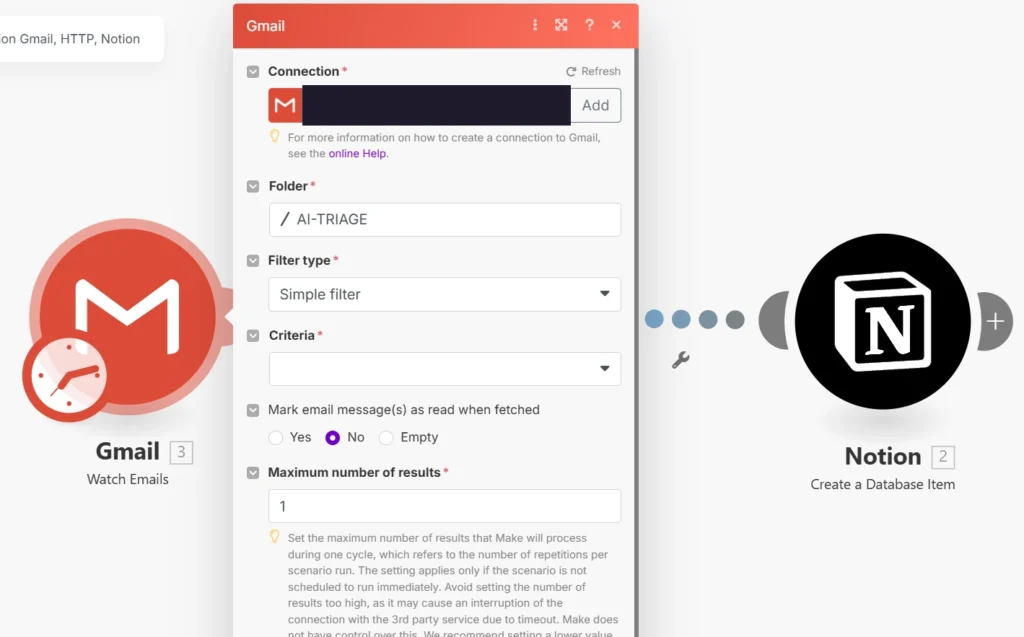
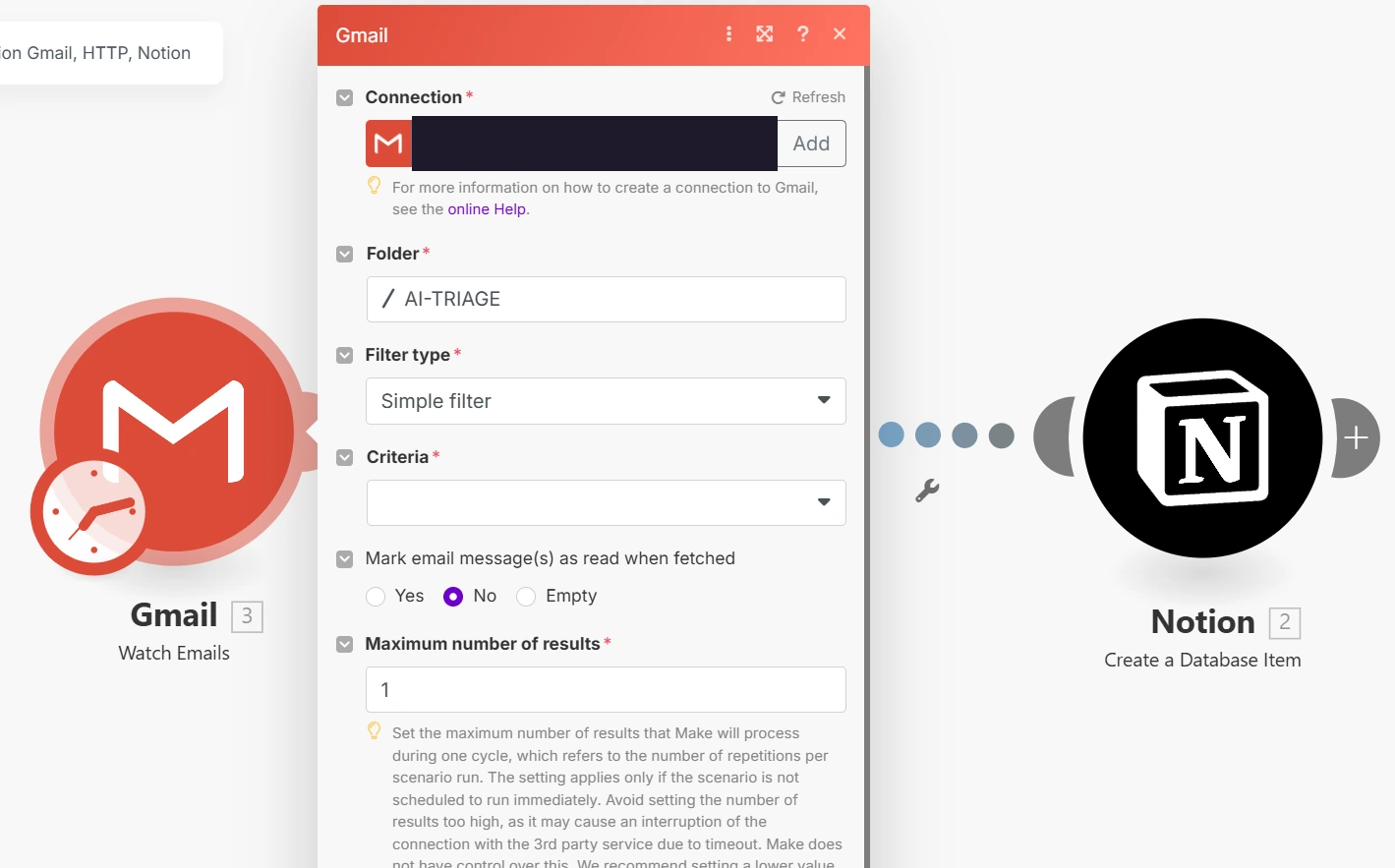
Gmail watch-email and Notion configuration, with the connection selector redacted. No private email content is shown. The client reported that Gmail and Notion were already connected to Make.com.
We reviewed that information and proceeded with testing.
However, the Notion destination required additional attention.
Why a Connection Alone Was Not Enough
An authorized Notion connection does not automatically mean an automation can create the correct database record.
The workflow also needs to know where the item belongs and which properties it should populate.
Reviewing the Destination Database
We requested information about the Notion database structure.
The client supplied an export and screenshots of the desired layout.
These references were important because Notion properties have specific types.
A task title, date, select property and person assignment cannot all be handled identically.
Account Access Challenges
During the engagement, the client supplied another Notion account for testing.
We subsequently clarified that the original Notion environment was the intended destination.
This introduced extra configuration and testing work.
The project illustrates why destination-account selection and permissions should be settled before finalizing an integration.
Phase 6: Defining the Eight Structured Task Fields
One of the most important parts of the specification was the required JSON structure.
The client wanted eight fields extracted from relevant messages.
Task Name
JSON key:
titleThe task name needed to describe the action or subject.
A clear title helps someone understand what requires attention without opening the full email.
Priority
JSON key:
priorityThe AI was expected to identify the urgency or importance of the task.
The chosen value needed to correspond to the options available in the Notion database.
Type of Task
JSON key:
departmentThis field represented the relevant operational category or department.
It could help organize tasks by business function.
Due Date
JSON key:
due_dateThe system was intended to extract a deadline where one was provided.
When a message did not contain a reliable deadline, the workflow needed an appropriate missing-value strategy.
Notes
JSON key:
descriptionThe notes field would preserve a useful explanation of the message.
The client later reinforced the desire for a summary of the email.
Property Address
JSON key:
property_addressThis field was especially relevant to the client’s property-related operational requirements.
When an email referred to a particular property, the workflow was expected to capture the address.
Assigned To
JSON key:
assigned_toThe client wanted tasks to be directed to the appropriate person or role.
This eventually became more sophisticated because the client also wanted business-specific assignment rules.
Status
JSON key:
statusThe task status would describe its current workflow state.
The client wanted the system to support configurable status logic.
These eight fields formed the central data contract between the AI response and Notion.
Phase 7: Producing Structured JSON From AI-Generated Text
The next challenge was getting the model to return usable JSON.
A Notion integration cannot reliably process arbitrary prose when it expects structured fields.
The AI response needed to be formatted so that each value could be extracted and mapped.
During the development conversation, we obtained an example JSON response.
It included the requested field names and generated a title and description for a sample sales KPI message.
That was a useful intermediate result.
However, producing JSON text was not the same as fully mapping it into Notion.
The Parsing Challenge
An AI response may arrive as a text string containing a JSON object.
The workflow then needs to interpret that string as structured data.
Each field must be available individually.
For example, the value of
titlemust be accessible separately fromdescription.The same applies to the remaining fields.
This was a practical issue discussed during development.
Why Valid JSON Matters
A small formatting error can interrupt the workflow.
Examples include missing quotation marks, extra explanatory text or malformed objects.
The original scope therefore requested basic handling for invalid JSON and failed model responses.
The available conversation establishes work on obtaining a structured response.
It does not confirm that all parsing errors were automatically detected and recovered from in production.
Phase 8: Mapping JSON Fields to Notion Database Properties
Once the AI returned the required data, the next goal was to create the corresponding Notion record.
This required aligning the JSON values with the database’s properties.
Matching the Title Property
The task title needed to populate the relevant Notion title field.
Handling Priority and Status
Priority and status values needed to match the database’s available options.
A model-generated label that does not exist in the destination may require normalization or an explicit mapping rule.
Handling Due Dates
Dates require careful interpretation.
An email might specify an exact date, a relative deadline or no deadline.
A robust system should avoid inventing deadlines when the information is unclear.
Handling the Assigned Person
Assignment is different from inserting text into a notes field.
Notion person-related properties require suitable identity mapping.
The business needs to know which Notion user corresponds to a requested role or individual.
Handling Property Addresses and Notes
These fields were intended to preserve relevant contextual information.
However, the exact destination property types needed to match the client’s database schema.
Why Schema Mapping Was a Major Requirement
This project demonstrates that successful AI automation depends on understanding both the model output and the destination application.
A response that looks correct to a human may still fail when mapped into a structured database.
The implementation therefore required attention to field names, property types and allowed values.
Phase 9: Troubleshooting AI Response Quality
During the first week of development, we reported that the selected model was not producing a satisfactory response.
This affected confidence in the extraction stage.
A task-triage workflow must produce useful information consistently enough for the receiving system.
For example, a response may be technically valid JSON but still contain an inaccurate department or incomplete description.
The project required assessing whether the model’s output matched the business requirements.
Structural Correctness Versus Semantic Correctness
There are two different questions to answer.
Is the output valid JSON?
This concerns syntax and structure.
Does the output accurately reflect the email?
This concerns interpretation.
Both matter.
A model can satisfy one requirement while failing the other.
The reported response-quality issue demonstrated why model selection and prompt design are important parts of AI integration.
What Was Verified
The conversation records an intermediate JSON response with the intended keys.
What Was Not Verified
The records do not establish a measured classification accuracy, a comprehensive evaluation dataset or error-free processing across different email categories.
Those claims would require additional testing.
Phase 10: Introducing Business-Specific Assignment Rules
The client’s requirements expanded beyond extracting information from individual messages.
They wanted the automation to recognize senders and topics that should be assigned to particular people.
The intention was to let the business create and adjust routing rules over time.
This would provide more control than relying entirely on the AI model to decide where every task belonged.
LeadSimple-Related Messages
The client wanted emails associated with LeadSimple, including different textual variations of the name, routed to an assistant for review.
RMLS Messages
Messages from RMLS were intended for the syndication or sales acquisition specialist.
AppFolio Messages
AppFolio-related emails were intended for the asset manager.
Receipts
Emails identified as receipts were intended for the accounting manager.
These rules were supplied by the client as starting examples.
They were not a complete, production-verified routing policy.
Why Business Rules Matter
Different applications can generate messages that require specific operational attention.
A receipt may require accounting review.
A property-management notification may belong with an asset manager.
A lead-related message may require attention from an assistant.
The system therefore needed to understand both message content and the business’s internal responsibilities.
Phase 11: Combining AI Interpretation With Deterministic Rules
The assignment requirements introduced an important architectural distinction.
Some decisions can be made through clear business rules.
Other decisions require interpreting natural language.
For example, matching an email sender against an approved list may be a deterministic operation.
Understanding a loosely written request may require AI interpretation.
A robust approach combines these capabilities.
Deterministic Routing
Known senders and explicitly defined categories can be evaluated through rules.
This makes the routing decision easier to explain and audit.
AI Classification
When the message cannot be classified using simple rules, an AI model can help identify the likely category or action.
Controlled Assignment
The output can then be validated against the people and departments authorized to receive tasks.
Why This Matters
A business should not necessarily let an AI model invent assignees or statuses.
It is often safer to maintain a controlled set of valid options.
That creates a clearer relationship between the AI output and the real team structure.
This combined architecture is a recommended approach informed by the client’s requirements.
The original records do not independently verify that a complete, editable rules engine was delivered.
Phase 12: The Need for Adjustable Rules
The client specifically wanted a system that could evolve.
They did not want every new sender or assignment rule to require rewriting the automation.
The desired solution would allow the business to maintain a reference list of rules.
For example, a new sender could be assigned to a particular department.
A new topic could be associated with a responsible team member.
A new status condition could be introduced.
Why This Is an Important Requirement
Business operations change.
Team members change roles.
New software tools are introduced.
Existing categories may be reorganized.
An automation with every condition hard-coded into a single scenario can become difficult to maintain.
The client was therefore thinking beyond one successful test email.
They wanted a more adaptable triage process.
Historical Scope Versus Future Enhancement
The records establish that this requirement was discussed.
They do not show a fully validated editable rules-management interface.
It should therefore be presented as an architectural requirement and potential extension rather than a confirmed completed feature.
Phase 13: Adding Email Summaries to Task Notes
The client also requested a notes section containing a summary of each email.
This was relevant because the task title alone might not provide enough context.
A useful task record should explain why the action is needed.
For example, an email might contain several paragraphs describing an operational issue.
A concise summary could help the assigned person understand the request without immediately rereading the entire message.
However, summarization also introduces accuracy considerations.
The AI should preserve the meaning of the original email.
It should not invent facts, deadlines or decisions that the sender did not provide.
For sensitive business communication, the original message should remain accessible to authorized users when further verification is necessary.
Phase 14: Discussing Status Classification
The client wanted the ability to apply statuses automatically.
This introduced another layer of interpretation.
An incoming message might describe a new request.
Another might provide an update on an existing issue.
A third could indicate that something had already been completed.
The chosen status should reflect the business’s workflow.
However, statuses must be tied to clear definitions.
An AI-generated value such as "Urgent Review" may not be a valid option in a Notion Status field configured with different labels.
A production-ready workflow therefore needs normalization and validation.
The original order included status extraction and matching as planned functionality.
The conversation does not establish comprehensive testing of every possible status transition.
Phase 15: The Need for Logging and Error Handling
The original project brief requested a record of processed emails and their outcomes.
The client wanted success/failure logging.
They also wanted basic handling for failed model calls and invalid JSON.
These were important reliability requirements.
AI Request Failures
An AI provider may return an error or fail to respond.
The workflow should not silently treat the request as successfully completed.
Invalid JSON
If the AI response cannot be parsed, the system should avoid sending malformed data to Notion.
Missing Required Fields
A task cannot be created correctly if necessary destination values are absent.
Notion API Errors
A Notion request may fail because of insufficient permissions, invalid property values or a destination schema change.
Logging
A useful record of processing results can help identify which messages succeeded and which require attention.
What the Records Support
These features were explicitly included in the requested scope.
However, the available evidence does not establish a complete, operational monitoring and retry system.
They should not be advertised as fully delivered without reviewing the original Make.com scenario.
Phase 16: Testing the Workflow With Client-Provided Examples
The client participated in testing by applying an email label and sharing screenshots of the expected Notion structure.
We also discussed sending sample messages to the Gmail account.
The client provided a Notion export and additional account information to support testing.
These materials were intended to establish the correct field layout.
During development, we obtained a structured JSON response.
However, the broader test process was not fully successful in the available conversations.
On May 22, the client reported that the automation was not working.
We continued discussing requirements and suggested a call to clarify the assignment logic.
The records therefore establish implementation and troubleshooting work, but not consistently successful end-to-end task creation.
Phase 17: Managing Changing Requirements and Access
The engagement involved several changes after the original order.
The client changed the automation platform.
The AI provider and model were changed.
Notion account access needed clarification.
The database schema required further information.
The client added adjustable assignment rules.
And the client wanted email summaries and more flexible statuses.
These changes affected the development process.
Why Requirements Management Matters
An automation can become significantly more complex when a simple field-mapping project evolves into a configurable routing system.
The original scope focused on converting messages into task records.
The additional requirements involved organizational roles, sender rules and future rule maintenance.
Those are substantial features.
A well-managed project should distinguish between the initial deliverable and later extensions.
The archive shows that these requirements evolved during the engagement.
It does not provide enough evidence to treat every discussed extension as fully implemented.
Phase 18: Delivery and Review
It was marked completed on June 9, 2025.
The subsequent conversation does not provide a detailed, successful final test confirming that all planned Gmail-to-Notion task fields and assignment rules worked reliably.
As a result, this case study should not claim a fully verified production launch.
The documented value is the technical work undertaken on AI integration, JSON extraction, Notion schema mapping and changing task-routing requirements.
This provides a transparent picture of the engagement.
What We Delivered.
Verified Outcomes
Completed Commercial Engagement
Revised Automation Architecture
The client selected Make.com and Together AI/Mistral in place of the originally proposed Pipedream and Hugging Face setup.
AI Processing Work
The development included configuring and testing AI-based interpretation of email information.
Structured JSON Output
An intermediate test produced a JSON object containing the required task-related keys.
Notion Database Mapping Work
The engagement included reviewing the Notion schema, requested fields and destination account access.
Gmail Label Testing
The client used the designated email label to trigger a test.
Business Routing Requirements
The client supplied specific rules for LeadSimple, RMLS, AppFolio and receipt-related messages.
Troubleshooting and Collaboration
The engagement included investigating model response quality, resolving access questions and discussing additional requirements.
Outcomes Not Independently Verified
The available records do not establish:
- Reliable creation of a Notion task for every labeled email
- A successful final end-to-end production test
- A fully operational editable assignment rules engine
- Complete validation of all eight Notion fields
- Verified logging of every processed message
- Automatic recovery from failed AI API calls
- Guaranteed prevention of duplicate task creation
- Accurate classification across all email categories
- A measured reduction in administrative workload
- A confirmed Loom video walkthrough
- Long-term production uptime
- Customer feedback
These claims would require additional technical evidence.
Experience: Designing an AI Workflow Around Real Operational Needs
This project involved a real business requirement rather than a generic AI demonstration.
The client wanted to organize emails according to responsibilities and convert the information into structured tasks.
The engagement included account integration, model-response testing, database mapping and iterative requirements clarification.
It also exposed practical problems with model quality and incomplete workflow operation.
Those experiences are relevant when designing reliable AI-assisted business processes.
Expertise: AI Classification, JSON Processing and Notion Integration
The project involved several technical areas.
Email Trigger Integration
Working with Gmail labels as a way to identify messages requiring processing.
AI Model Integration
Using a selected AI provider to interpret unstructured message content.
Structured Data Extraction
Designing JSON fields that represent tasks in a predictable format.
Schema Mapping
Matching generated values to the correct destination database properties.
Business Rule Design
Translating sender and category requirements into potential assignment logic.
Workflow Debugging
Investigating model output problems, account access and integration failures.
Automation Architecture
Understanding how source events, AI analysis and task creation should work together.
These are capabilities applicable to CRM automation, helpdesk systems, document processing and internal operations workflows.
Authoritativeness: Commercial Project Evidence
The order record documents the client’s requested scope, the technology changes and formal delivery.
The conversation provides evidence of technical discussions, sample JSON generation and client-supplied assignment requirements.
This project should therefore rely on original technical evidence rather than unsupported social proof.
Trustworthiness: Clear Distinction Between Work and Verified Results
The most important credibility decision is to distinguish between what the client requested and what the available records confirm.
The client asked for a fully functional AI email triage workflow.
The development included meaningful technical work.
However, the client reported functionality problems, and the archive does not establish a successful final end-to-end test.
That limitation should be acknowledged.
A trustworthy portfolio does not have to describe every engagement as a perfect implementation.
It should accurately explain the challenges, technical contributions and lessons.
Technical Lessons From the Project
1. AI Models Need a Defined Output Contract
An automation should specify exactly which fields are required and how missing information should be represented.
2. Valid JSON Does Not Guarantee Accurate Classification
The model output needs both structural and semantic validation.
3. Notion Properties Must Match the Data Being Sent
Text, dates, status options and person assignments require different handling.
4. Business Rules Should Be Explicit
Known sender or category rules should not depend entirely on unpredictable AI interpretations.
5. Access Problems Can Block Final Integration
The correct Notion account, database and permissions must be established before testing.
6. Changes to the Technical Stack Affect Delivery
Moving from Pipedream to Make.com and changing AI providers requires revised configuration and testing.
7. Model Reliability Should Be Tested Before Full Automation
An AI model that produces inconsistent task information may need revised instructions, structured output controls or a different approach.
8. A Workflow Needs Error Visibility
Failed requests, invalid data and rejected task records should be visible to the operator.
9. Sensitive Emails Require Appropriate Controls
The system should process only authorized information, restrict access appropriately and avoid exposing private messages or credentials.
10. Workflow Delivery and Production Verification
Each workflow stage needs its own end-to-end tests before being presented as production-ready.
How We Would Strengthen This Architecture Today
A more robust modern implementation would combine AI extraction with explicit validation and deterministic routing.
The process could work as follows:
1. Receive an eligible email
A Gmail label or other approved event selects the message for processing.
2. Normalize the message
The workflow extracts the relevant subject, sender, message body and metadata.
3. Evaluate business rules
Known senders and categories are checked against a controlled routing table.
4. Request structured AI extraction
The AI generates the defined task fields.
5. Validate the response
The workflow confirms that the fields have appropriate types and allowed values.
6. Resolve the assignee
The requested role is mapped to an authorized Notion user or operational queue.
7. Check for duplicates
The workflow uses a stable email identifier to avoid unintentionally creating the same task multiple times.
8. Create or update the Notion record
The system writes the validated task information to the intended destination.
9. Record the result
Successful and failed processing attempts are logged.
10. Route uncertain results for review
Messages with missing information or ambiguous instructions are sent to an appropriate person rather than assigned with unwarranted confidence.
This is a recommended architecture based on the original project requirements and observed challenges.
It should not be described as the verified final implementation of the 2025 engagement.
Applications Beyond Gmail-to-Notion Automation
The same general approach can support many other business processes.
A property management business could organize operational enquiries.
A service company might convert customer messages into tasks.
A sales team could classify incoming enquiries and assign them to appropriate representatives.
An accounting team could identify receipts and request supporting documentation.
A customer support function might organize inbound messages according to issue type and urgency.
Each implementation requires appropriate access controls, classification rules and verification.
However, the underlying principle remains useful:
Turn unstructured communication into structured information that the business can act on.
Project visuals.
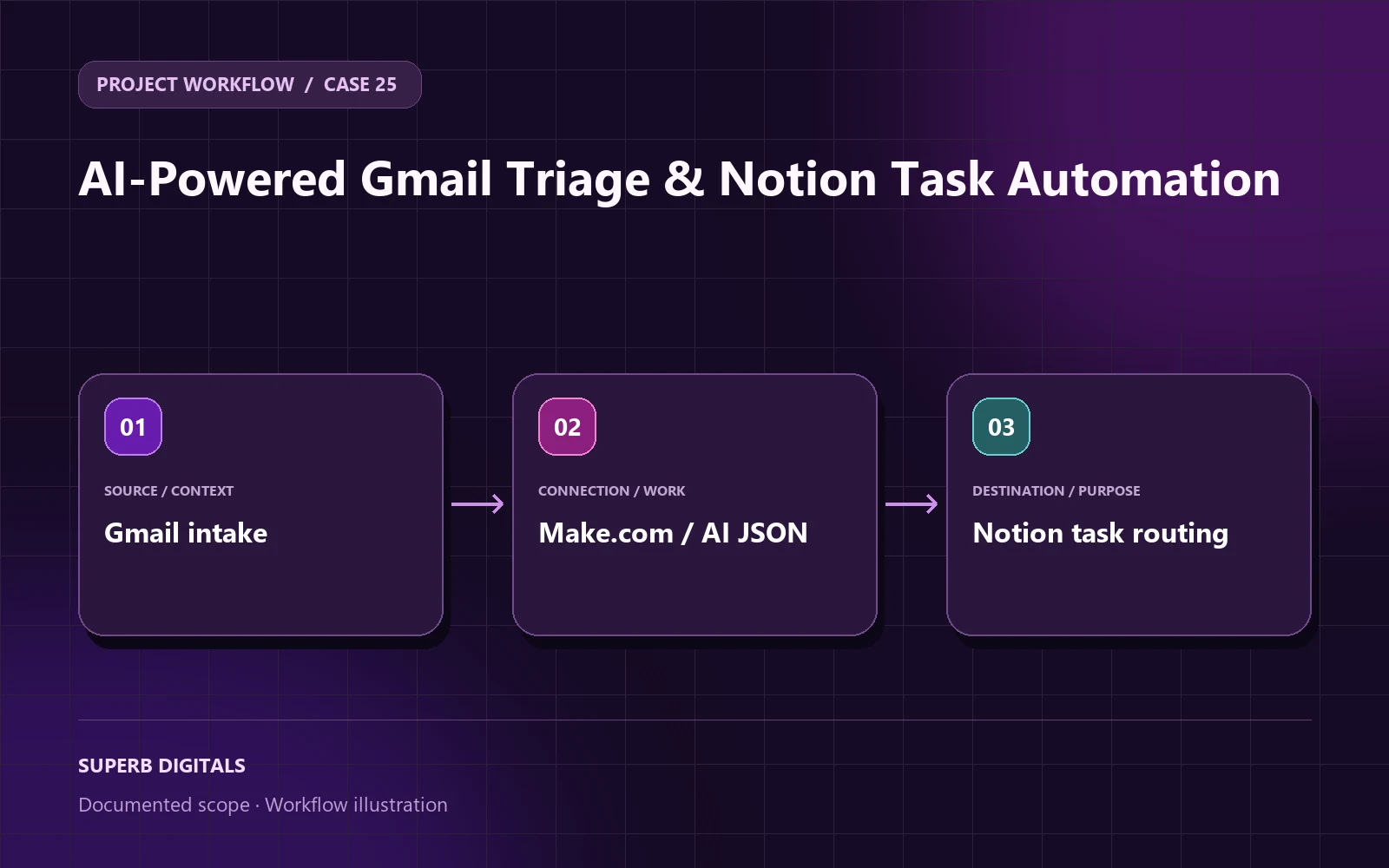 View image
Frequently Asked Questions.
Can Gmail emails be converted into Notion tasks automatically?
Yes. Gmail and Notion can be connected through supported automation platforms. AI processing can be added when the task requires interpreting unstructured email content.
Can Make.com integrate Gmail, AI and Notion?
Yes. Make.com supports workflows involving email events, API requests and supported Notion actions. The exact configuration depends on the required data and destination properties.
Can Mistral AI classify business emails?
Mistral-family language models can support text classification and information extraction. Their accuracy depends on the model, instructions, input quality and validation process.
What is AI email triage?
AI email triage is the use of AI to help classify, summarize, prioritize or route incoming messages according to defined business requirements.
Why use JSON for AI-generated task data?
JSON provides a structured format that automation systems can parse and map into application fields.
What happens when an AI model returns invalid JSON?
An appropriate workflow should detect the invalid response and handle it through retry logic, error recording or manual review instead of sending malformed data to the destination.
Can Notion receive automatically generated task records?
Yes. Supported Notion integrations and APIs can create records with appropriately mapped properties and permissions.
Can AI assign tasks to specific employees?
AI can assist with choosing a relevant role or assignee, but the final value should be validated against the organization’s authorized users and assignment rules.
Can a workflow assign messages based on the sender?
Yes. A rule-based workflow can recognize known senders or sender patterns and apply the organization’s defined routing policy.
Can emails from property management platforms be classified automatically?
Potentially, yes. Messages can be categorized according to sender information, content and approved operational rules.
Can a Gmail label start an AI automation?
Yes. A supported email integration can monitor eligible messages associated with a configured label.
What if an email does not include a deadline?
A reliable system should preserve the missing information or apply an explicitly defined business default rather than inventing a deadline.
Can AI detect priority from email content?
AI can propose a priority based on the message, but the result should be validated against the organization’s priority definitions.
Can AI-generated summaries contain mistakes?
Yes. AI models can omit details or introduce unsupported information. Important summaries should be traceable to the original message.
Why might a Gmail-to-Notion automation fail?
Possible causes include invalid credentials, incorrect Gmail trigger configuration, failed AI API requests, malformed JSON, incompatible Notion property values or insufficient database permissions.
Is Make.com better than Pipedream for Gmail-to-Notion automation?
The better platform depends on the required workflow, cost, maintenance preferences, integrations and development requirements. Both can support relevant automation architectures.
Does an AI email triage workflow require manual review?
Not necessarily for every message, but uncertain, sensitive or high-impact decisions may benefit from human review.
Can Superb Digitals help build AI-powered email automation?
Yes. Superb Digitals provides AI workflow development, Make.com automation, Notion integration, structured data processing and API troubleshooting services.
Need AI Automation That Organizes Your Business Communications?
Your business may already receive valuable information through email, forms and other communication channels.
The challenge is making that information useful without introducing unnecessary manual work.
At Superb Digitals, we help businesses plan and implement connected workflows involving AI, CRM platforms, APIs and task management tools.
Our services include AI email classification, Make.com automation, Pipedream development, Notion integration, API connections, JSON data processing, CRM workflows and custom business automation.
Whether you want to develop a new integration or troubleshoot an existing process, we can help evaluate the requirements and build an appropriate solution.
Let’s discuss your AI automation project.
Visit https://superbdigitals.com/ to explore our services.
Superb Digitals — Web Development, CRM & AI Automation Solutions.
Need important emails turned into actionable tasks?
Tell us about your project and discuss the next steps with Superb Digitals.
Related client work.
 AI Automation
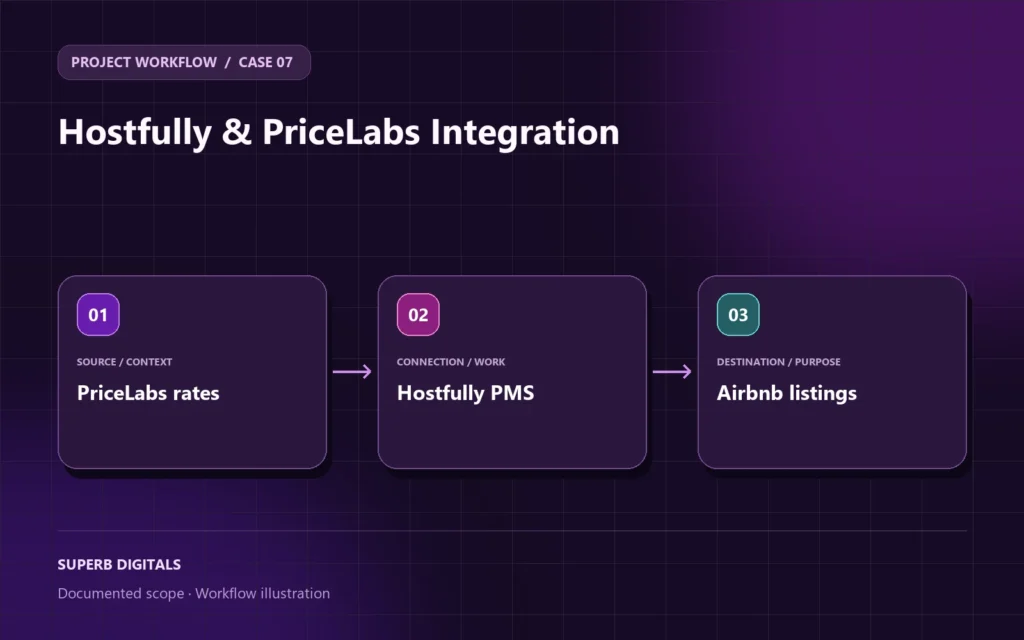
Hostfully & PriceLabs Integration
Two rental listings with different booking windows, connected pricing and practical stay-rule troubleshooting.
 AI Automation
24/7 Weather Monitoring & Smart Alert Automation
A six-phase weather automation project using Tempest, WeatherLink, IFTTT, Make.com and Apps Script for rain and storm alerts.
 AI Automation
Leonidas Labs — AI-Powered Quiz & Automated Report Generation
An AI-powered quiz funnel connecting Jotform, Make.com, OpenAI, Brevo, Stripe and Google Docs for personalized reports.