Business Card Scanning to GoHighLevel CRM
A business-card data handoff project involving an existing iPhone scanning workflow, Pipedream and GoHighLevel CRM.
Project overview.
Transforming Business Cards Into Organized CRM Contacts
A business card can open the door to a valuable relationship.
You meet someone at a conference, networking event, business meeting or professional gathering. They hand you their card, and you intend to follow up.
But what happens afterward?
Sometimes the card stays in a wallet.
Other times, the contact information is typed manually into a phone or spreadsheet.
Even when the details are eventually entered into a CRM, the process may take longer than necessary.
For businesses that regularly meet new prospects, this creates an opportunity for automation.
The goal is straightforward: capture the information from a business card and transfer it into the company’s customer relationship management system.
However, making this work reliably across different applications requires careful integration.
That was the challenge behind a series of CRM automation engagements completed by Superb Digitals for a returning client.
The client already had an Apple iPhone shortcut for capturing business-card information. They also had a Pipedream workflow intended to transfer the resulting data into GoHighLevel.
The problem was that the information was not consistently reaching the correct CRM account.
The shortcut could initiate the process, but the connection between Pipedream and GoHighLevel needed technical attention.
Superb Digitals worked on restoring and configuring the integration, mapping contact information, reviewing API errors and supporting real-world tests.
This case study explains the technical challenges, implementation work and lessons from connecting a mobile lead-capture process to a CRM.
Client: Drod — AI and CRM Services
Industry: Business Automation and Customer Relationship Management
Project period: March–May 2026
Project type: Mobile Lead Capture and CRM Integration
Mobile capture environment: Apple iPhone Shortcuts
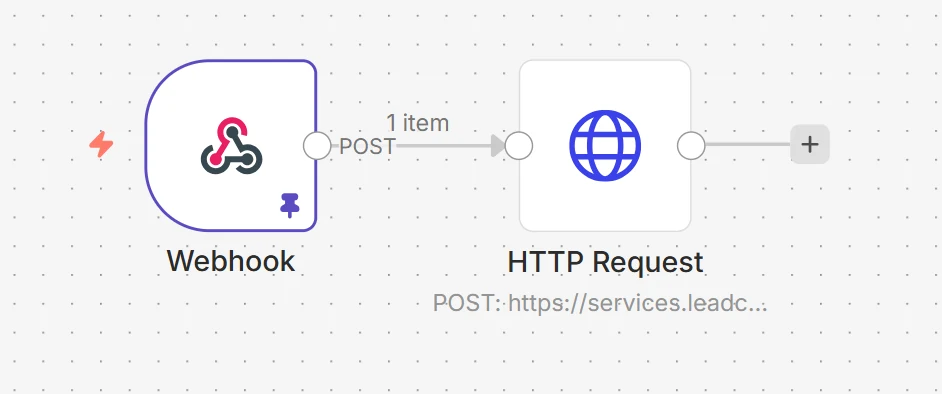
Workflow platform: Pipedream
CRM: GoHighLevel
Integration approach: HTTP requests, supported APIs and data mapping
Required contact information: Name, Company, Phone, Email and Address
Relevant services: API Integration, CRM Contact Creation, Workflow Troubleshooting and Data Synchronization
Project outcome: Completed CRM integration engagements, documented successful tests and subsequent troubleshooting of intermittent errors.
What needed to change.
Information Was Captured but Not Reliably Entering GoHighLevel
The client wanted a convenient way to collect contact information from business cards and save those details into GoHighLevel.
An iPhone shortcut was already available as the starting point.
The intended experience was simple.
The user would capture a business card through the phone.
The shortcut would provide the relevant contact information to the connected workflow.
Pipedream would process the data and send it to the correct GoHighLevel sub-account.
The resulting contact would then be available within the CRM.
However, the integration was not working as intended.
The client had already created parts of the automation but was experiencing difficulty with the data handoff.
The initial request was therefore not to create an entirely new business-card recognition application.
It was to resolve the connection between the existing mobile workflow and the CRM.
During the second engagement, the client explained that the existing Pipedream trigger was working, but the custom request that should follow it was missing.
That meant the workflow could receive an event without completing the operation required to create or update a CRM contact.
The problem was especially important because the client wanted the integration to work with a specific GoHighLevel sub-account.
Sending information to the wrong account would defeat the purpose of the automation.
Why This Was More Than a Simple App Connection
Connecting a mobile shortcut to a CRM involves several separate processes.
The mobile application must collect or prepare the information.
The workflow platform must receive that information.
The data must be organized into a structure accepted by the destination API.
The request must contain valid authorization.
The correct CRM sub-account must be identified.
And the receiving application must accept the contact information.
A problem at any point can interrupt the workflow.
For example, a successfully executed iPhone shortcut does not necessarily mean the CRM has received a new contact.
A successful Pipedream trigger does not prove that the downstream HTTP request has worked.
Similarly, an API request may reach GoHighLevel but still be rejected because of an invalid field value or duplicate-contact rule.
The challenge was identifying where the connection was failing and making the relevant corrections.
A connected solution.
Fix the Existing Workflow Before Replacing It
We approached the engagement as an integration and troubleshooting project.
The client had already developed the mobile capture experience.
The existing work represented useful progress and did not need to be discarded simply because one connection had failed.
Our focus was on the missing and malfunctioning parts of the system.
The work followed the intended direction of the data:
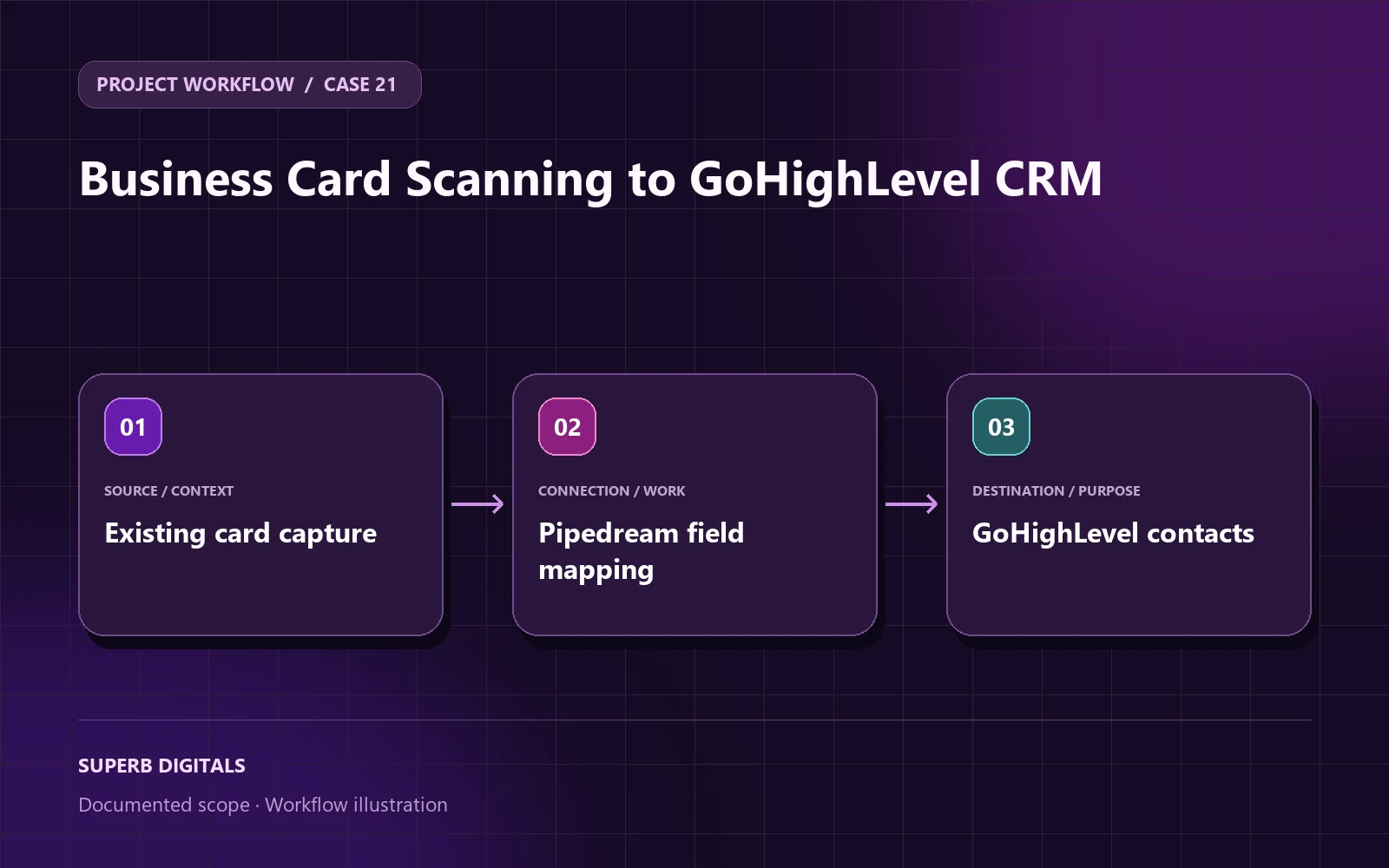
iPhone Shortcut → Pipedream → GoHighLevel CRM
Each stage had a different responsibility.
The mobile shortcut served as the starting point.
Pipedream handled the workflow event and API communication.
GoHighLevel served as the destination for structured lead information.
We reviewed the client’s requirements and worked through the connections between those stages.
This approach reflected a practical automation principle: reuse functional components where appropriate and concentrate on the actual failure point.
Implementation, step by step.
Phase 1: Understanding the Existing iPhone Shortcut
The client had already prepared an Apple Shortcut for the lead-capture process.
Apple Shortcuts allows users to create sequences of actions on supported devices.
In this project, the shortcut was intended to support business-card capture and provide the relevant details to the connected automation.
Our documented contribution focused on connecting the prepared data to GoHighLevel.
This distinction matters because mobile image capture and CRM API integration are related but different technical responsibilities.
The existing shortcut provided the foundation.
The integration work needed to ensure that the resulting information reached the correct destination.
Phase 2: Reviewing the Pipedream Workflow
Pipedream was used as the automation layer between the iPhone shortcut and GoHighLevel.
The client reported that the workflow trigger was functioning.
However, the custom request required to complete the CRM handoff was missing.
This created a familiar automation problem.
The first step of the workflow was operating, but the subsequent processing step was absent or incorrectly configured.
Why a Working Trigger Was Not Enough
A trigger marks the beginning of a workflow.
It does not necessarily perform the final action the business needs.
For example, a trigger might receive a contact’s name and email address.
However, unless a later step sends those values to the CRM, no new contact will appear.
The project therefore required attention to the downstream request.
We reviewed the client’s existing Pipedream setup and worked on the connection to GoHighLevel.
Restoring the Required Handoff
The second order included a request to recreate the missing custom request after the existing trigger.
The objective was to send the appropriate information to GoHighLevel through its supported API.
This required the correct endpoint, authorization and request data.
The integration needed to use the client’s actual CRM account configuration rather than generic placeholder values.
Phase 3: Identifying the Correct GoHighLevel Sub-Account
GoHighLevel supports CRM environments organized around individual locations or sub-accounts.
The client wanted information delivered to a specific account used for the business-card workflow.
This required the integration to identify the correct destination.
During development, the client provided the relevant location information and authorized account access.
We reviewed the integration settings and discussed the appropriate destination.
Why the Location Matters
A CRM account may contain multiple business environments.
An integration that sends a contact to the wrong location can make the information difficult to find and create confusion about whether the automation worked.
For this project, a successful request needed to target the intended GoHighLevel sub-account.
The location setting was therefore part of the functional requirements.
Access and Permissions
The client granted access to the relevant GoHighLevel environment.
This allowed us to review the available configuration and work on the contact-mapping requirements.
The project also required appropriate authorization for the API request.
API access should be limited to the permissions needed for the task.
Private integration keys and other credentials must not be disclosed through public documentation or screenshots.
What We Delivered.
Verified Outcomes
Two Completed Business Card Automation Orders
Both were completed.
GoHighLevel Integration Work
The project involved connecting an existing mobile capture workflow to the correct GoHighLevel sub-account.
Pipedream Workflow Configuration
The work included addressing a missing custom request stage after the existing trigger.
Contact Field Mapping
The client defined five required categories of business-card data, and we worked on the corresponding CRM mapping.
Real-World Testing
The client confirmed that a business-card test successfully transferred through the integration during the April engagement.
API Troubleshooting
The work included investigating duplicate-contact problems, API response errors and invalid email values.
Continued Client Relationship
The customer returned with another order and continued discussing further automation work.
Continued Client Engagement
The client returned for additional CRM integration support.
Outcomes Not Independently Verified
The records do not establish:
- The total number of business cards successfully scanned
- A measured reduction in contact-entry time
- A verified increase in lead conversion rates
- A completed Outlook integration
- A fully deployed, multi-client n8n product
- An independently developed OCR or computer-vision engine
- Automated follow-up campaigns generated from every scanned contact
- A guaranteed duplicate-free contact database
- Continuous production uptime
- A measured return on investment
These would require additional usage records, product testing or client-confirmed results.
The case study focuses on the integration, mapping, troubleshooting and documented client acceptance.
Client Feedback
The client praised responsiveness, efficiency and technical knowledge.
The client also recommended Superb Digitals to others.
The client thanked Superb Digitals for the work and rated communication, delivery quality and value positively.
These reviews demonstrate satisfaction across two related engagements with the same buyer.
They are stronger proof than unsupported claims about the number of leads generated.
Experience: Working With a Real Mobile-to-CRM Workflow
This project demonstrates practical experience integrating tools that were already being used by a client.
The existing setup included a mobile shortcut, an automation platform and a CRM.
The engagement required identifying the failure point rather than rebuilding unrelated components.
Real tests also revealed errors involving duplicate records and invalid data.
These are common operational challenges in CRM automation.
The project therefore reflects genuine integration and troubleshooting work.
Expertise: APIs, Field Mapping and Data Validation
The technical requirements involved several distinct skills.
API Integration
Connecting the workflow platform to GoHighLevel through an authorized request.
CRM Field Mapping
Organizing incoming business-card information into the correct contact fields.
Sub-Account Configuration
Working with the appropriate GoHighLevel account and location settings.
Workflow Debugging
Investigating why an event could reach one system without producing the expected result in another.
Data Validation
Recognizing that invalid values can interrupt an otherwise functional integration.
Error Interpretation
Using API responses and client testing to identify problems.
Automation Architecture
Understanding how mobile capture, event processing and CRM storage interact.
Together, these demonstrate the value of technical integration expertise beyond basic app configuration.
Authoritativeness: A Returning Client With Verified Reviews
The engagement was part of a wider working relationship.
The client had previously commissioned related API troubleshooting.
They later requested additional automation assistance and returned for the second business-card order.
Both business-card-specific orders were completed and rated five stars.
That provides documented evidence of repeat client trust.
The client’s wider relationship with Superb Digitals also included a separate AI voice automation project.
However, this case study remains focused on the business-card workflow to avoid duplicating the scope of the other portfolio entries.
Trustworthiness: Transparent About What Was Built
A credible technical portfolio should distinguish between the technology a client already owned and the work performed by the service provider.
In this project, the original mobile shortcut and initial trigger existed before the business-card integration engagement.
Superb Digitals was responsible for supporting the connection to GoHighLevel and resolving specific automation problems.
The records also show that some errors appeared after delivery.
We do not describe the workflow as permanently flawless.
We also do not claim that proposed Outlook or n8n expansions were implemented without evidence.
This transparency allows potential clients to understand the actual technical work.
Why This Project Matters for Businesses
Business-card collection is a small task, but it illustrates a broader business challenge.
Many companies already use tools that should be connected.
They may have forms, mobile applications, spreadsheets or CRM platforms.
However, the information does not always move between them reliably.
This creates manual work and can make customer records inconsistent.
A properly designed integration can connect the tools and reduce unnecessary data re-entry.
But reliability depends on more than connecting two application names.
The workflow must handle account permissions, field mapping, data quality and errors.
These principles apply to many business processes beyond business-card capture.
Similar Business Automation Applications
The same architectural approach can support other lead-capture requirements.
For example, a business may want to transfer enquiries from a website form into a CRM.
A sales team might want to import contacts from an event-registration system.
A service provider may need to synchronize customer information across applications.
A field team might want to capture information on a phone and make it available immediately to office staff.
Each use case requires its own configuration.
However, the general objective remains consistent: move useful information into the right system without unnecessary manual steps.
Lessons From the Project
1. A Working Trigger Does Not Prove the Entire Workflow Works
The mobile shortcut and Pipedream trigger may operate correctly even when the final CRM request fails.
End-to-end testing is essential.
2. CRM Data Structure Matters
Captured information must match the fields expected by the destination application.
Incorrect mapping can undermine the usefulness of the automation.
3. Duplicate Contacts Need a Defined Strategy
Repeated scans are a realistic possibility.
A production workflow should decide whether to create, update or flag an existing contact.
4. Invalid Input Needs to Be Handled
An email address or another field value may not meet the destination system’s requirements.
Validation and meaningful error handling improve reliability.
5. Multi-Account Integrations Require Care
When a platform contains multiple client environments, each request must target the appropriate account.
6. Automation Products Need More Than One Working Example
Turning a one-client workflow into a reusable service requires configuration management, security, documentation and testing.
Project visuals.
 View image
Frequently Asked Questions.
Can a business card scanner send leads directly to GoHighLevel?
Yes. A supported mobile capture workflow can send contact information to GoHighLevel through its API or a suitable integration platform.
Can Apple Shortcuts work with GoHighLevel?
Yes. Apple Shortcuts can participate in a workflow that sends information to a supported intermediary or API endpoint. The implementation depends on the shortcut’s actions and the destination requirements.
What does Pipedream do in a business-card automation?
Pipedream can receive events, process information and make API requests to connected services such as a CRM.
Can a business card scanner capture names, phone numbers and email addresses?
Yes, where the scanning or text-extraction component supports those capabilities. The quality of the extracted information depends on the source image and the recognition method used.
Does GoHighLevel support contact creation through an API?
Yes. GoHighLevel provides supported API operations for managing contact information. Appropriate access permissions and valid request data are required.
Why might a Pipedream-to-GoHighLevel workflow fail?
Possible causes include incorrect authorization, invalid contact data, missing required fields, incorrect location settings, malformed requests or duplicate-contact rules.
What does an HTTP 422 error mean in CRM automation?
It generally indicates that the receiving service cannot process the submitted request as provided. The specific reason should be determined from the endpoint’s response and validation rules.
What happens when the same business card is scanned twice?
That depends on the integration and CRM settings. The workflow may create a duplicate, update an existing contact or return an error.
Can business cards be saved to a specific GoHighLevel sub-account?
Yes. A correctly configured integration can target an authorized location or sub-account.
Can the same scanner send contacts to Outlook?
It may be possible through a separately supported integration. Outlook synchronization was discussed in this project but is not independently verified as a delivered feature.
Is n8n an alternative to Pipedream?
Yes. n8n can support many types of event-driven and API workflows. The right choice depends on hosting, maintenance, functionality and cost requirements.
Can a business-card scanning workflow be reused across multiple customers?
It can be designed for reuse, but a multi-customer solution requires careful handling of credentials, account configurations, data isolation and support.
Does automated business-card capture guarantee more sales?
No. It can support better contact organization, but sales depend on lead quality, follow-up, customer interest and the business’s sales process.
Can Superb Digitals fix an existing CRM integration?
Yes. Superb Digitals helps businesses troubleshoot APIs, connect applications, configure CRM workflows and improve existing automations.
Need to Connect Your Lead Capture Tools to Your CRM?
You may already have a website form, a mobile app, a spreadsheet or another system collecting valuable information.
The next challenge is making sure that information reaches the right business tools.
At Superb Digitals, we help businesses connect their applications through APIs and custom automation.
Our services include GoHighLevel integration, Pipedream workflows, n8n automation, Make.com development, webhook connections, CRM contact synchronization, data mapping and workflow troubleshooting.
Whether you’re building a new process or repairing an existing integration, we can help identify the technical requirements and implement a suitable solution.
Let’s discuss your CRM automation project.
Visit https://superbdigitals.com/ to explore our services and get in touch.
Superb Digitals — Web Development, CRM & AI Automation Solutions.
Need business-card contacts captured directly in your CRM?
Tell us about your project and discuss the next steps with Superb Digitals.
Related client work.
 AI Automation
Hostfully & PriceLabs Integration
Two rental listings with different booking windows, connected pricing and practical stay-rule troubleshooting.
 AI Voice Agents
Retell AI + GoHighLevel Outbound Calling Automation
An AI outbound-calling integration connecting Retell AI, GoHighLevel and n8n for lead outreach, qualification and CRM handoff.
 AI Automation
24/7 Weather Monitoring & Smart Alert Automation
A six-phase weather automation project using Tempest, WeatherLink, IFTTT, Make.com and Apps Script for rain and storm alerts.