

Monday.com & Google Sheets — Two-Way Product Synchronization
The client needed product records to remain consistent across Monday.com and Google Sheets, including supplier identifiers, EANs, prices and quantities.
Project overview.
The client needed product records to remain consistent across Monday.com and Google Sheets, including supplier identifiers, EANs, prices and quantities.
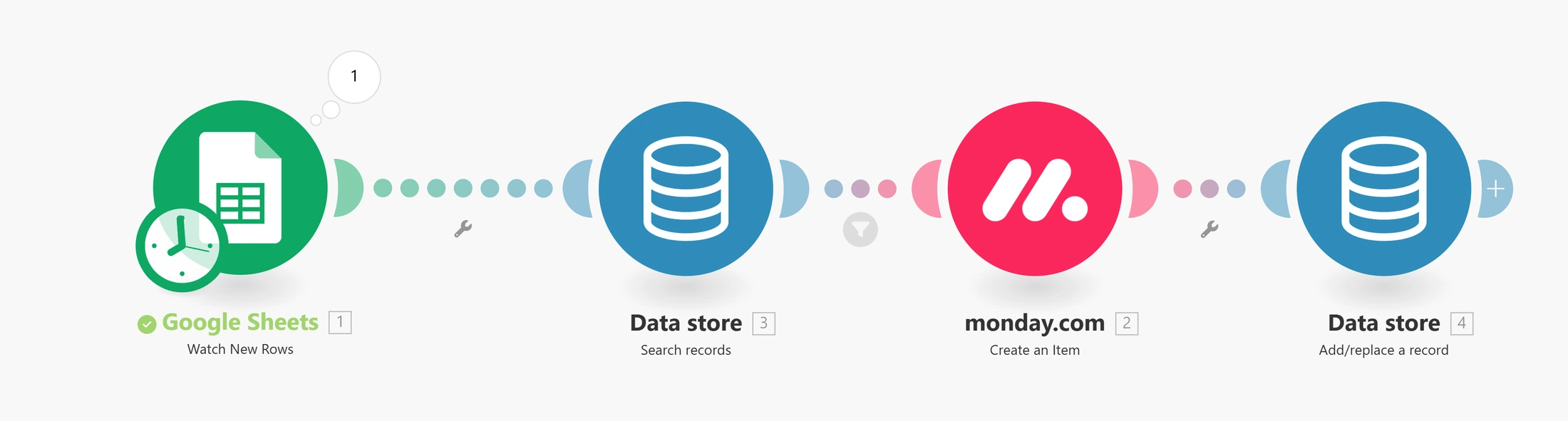
The client's product records existed in Monday.com and Google Sheets, with important supplier and barcode information alongside prices and available quantities. The first practical problem was that revisiting a product could create duplicate board items rather than update the correct existing record.
What needed to change.
Two-way synchronization introduced a different risk: a change originating in Monday.com could travel into Sheets and then return as a new update. Without defined matching and update boundaries, the workflow could create loops, overwrite fresher values or use the wrong supplier's product.
The first phase dealt with record identity. Matching on a shared product name would be ambiguous when suppliers carry similar products or use different labels.
A connected solution.
We worked on the Sheets-to-Monday.com Make.com scenario, using EAN/barcode and supplier identity as stronger matching keys than product name alone. The repair focused on finding an existing item and updating its relevant fields rather than creating a duplicate every time. A subsequent engagement added a Monday.com-to-Sheets direction for prices and quantities. The client tested the core synchronization, while missing-item creation and euro-number formatting remained separate refinements. Technology stack: Monday.com · Google Sheets · Make.com.
Implementation, step by step.
Initial spreadsheet-to-Monday flow
The original import needed to match an existing item instead of creating duplicates whenever a product was seen again.
Matching logic
The documented matching strategy involved EAN and supplier, rather than relying on a product name alone.
Make.com repair
The first engagement repaired a broken import process and improved product field mapping.
Reverse synchronization
A second engagement implemented a Monday-to-Sheets path for price and quantity updates.
Client verification
The client confirmed that the improved synchronization worked during testing.
Remaining refinements
Later messages noted unresolved cases around missing-product creation and euro-number formatting.
Technical decisions, edge cases and validation
The second phase needed to distinguish source updates from reverse synchronization. A two-way workflow is not simply two independent one-way Zaps running against the same values. Price formatting in European number formats can turn valid data into incorrect values if decimal and thousands separators are interpreted inconsistently. The source archive does not verify a final resolution of every format edge case.
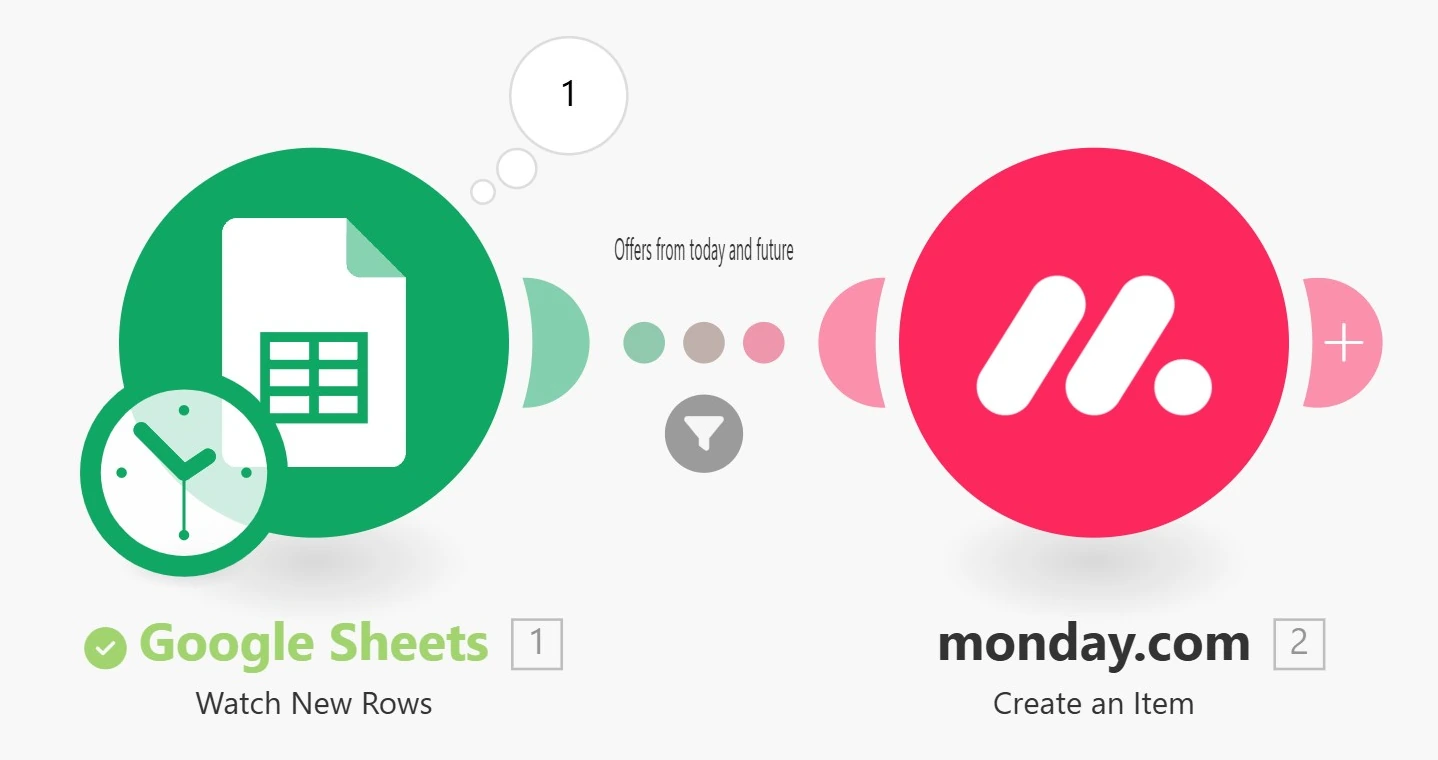
What We Delivered.
Client-confirmed working tests for core synchronization.
Monday.com–Google Sheets core synchronization was client-tested; missing-item handling and currency formatting required further refinement.
Technical lessons for comparable projects: Match supplier plus EAN where appropriate rather than relying on display names.
Use explicit update-versus-create rules to prevent duplicate products.
Avoid bidirectional update loops and agree which system controls each field.
Test price parsing and quantities with real sanitized examples before claiming accurate sync.
Project Highlights
- Monday.com–Google Sheets core synchronization was client-tested; missing-item handling and currency formatting required further refinement.
Frequently Asked Questions.
What prevents duplicate Monday.com items?
A reliable product identity check, using the supplier and EAN/barcode where these are authoritative.
Why is two-way sync harder than one-way import?
Changes can return to their origin and create loops or overwrite newer data.
Were all formatting issues resolved?
The archive documents remaining euro-number and missing-product concerns.
Was the main workflow tested?
Yes. The client reported working core synchronization, but not every edge case was certified.
Need Monday.com and Google Sheets to stay in sync?
Tell us about your project and discuss the next steps with Superb Digitals.
Related client work.
 AI Automation
Hostfully & PriceLabs Integration
Two rental listings with different booking windows, connected pricing and practical stay-rule troubleshooting.
 AI Automation
24/7 Weather Monitoring & Smart Alert Automation
A six-phase weather automation project using Tempest, WeatherLink, IFTTT, Make.com and Apps Script for rain and storm alerts.
 AI Automation
Leonidas Labs — AI-Powered Quiz & Automated Report Generation
An AI-powered quiz funnel connecting Jotform, Make.com, OpenAI, Brevo, Stripe and Google Docs for personalized reports.