

Pipedream Google Sheets Quote Email Automation
A Google Sheets-to-Gmail quote automation repair involving missing price values, Pipedream workflow changes and account quota troubleshooting.
Project overview.
Fixing an Automated Quotation Workflow That Was Sending Incomplete Information
Automating customer communication can save a business from repeatedly copying information between spreadsheets, email applications and other tools.
For example, a business may calculate prices in Google Sheets and want those values included in an email whenever a new record is added.
The process sounds simple.
A new row appears in the spreadsheet.
An automation detects the row.
The relevant customer and quotation information is retrieved.
An email is generated and sent.
But what happens when the workflow sends the message without the price?
Or when the automation detects a record but does not include its latest calculated values?
A missing price can make an automated quotation incomplete, forcing the business to check the spreadsheet and follow up manually.
This was the challenge behind a Pipedream automation troubleshooting project completed by Superb Digitals in May 2025.
The client already had an automation environment and wanted Google Sheets to communicate with Gmail.
They also mentioned sending selected information to Airtable.
The primary issue was that the quoted price was not passing correctly through the workflow.
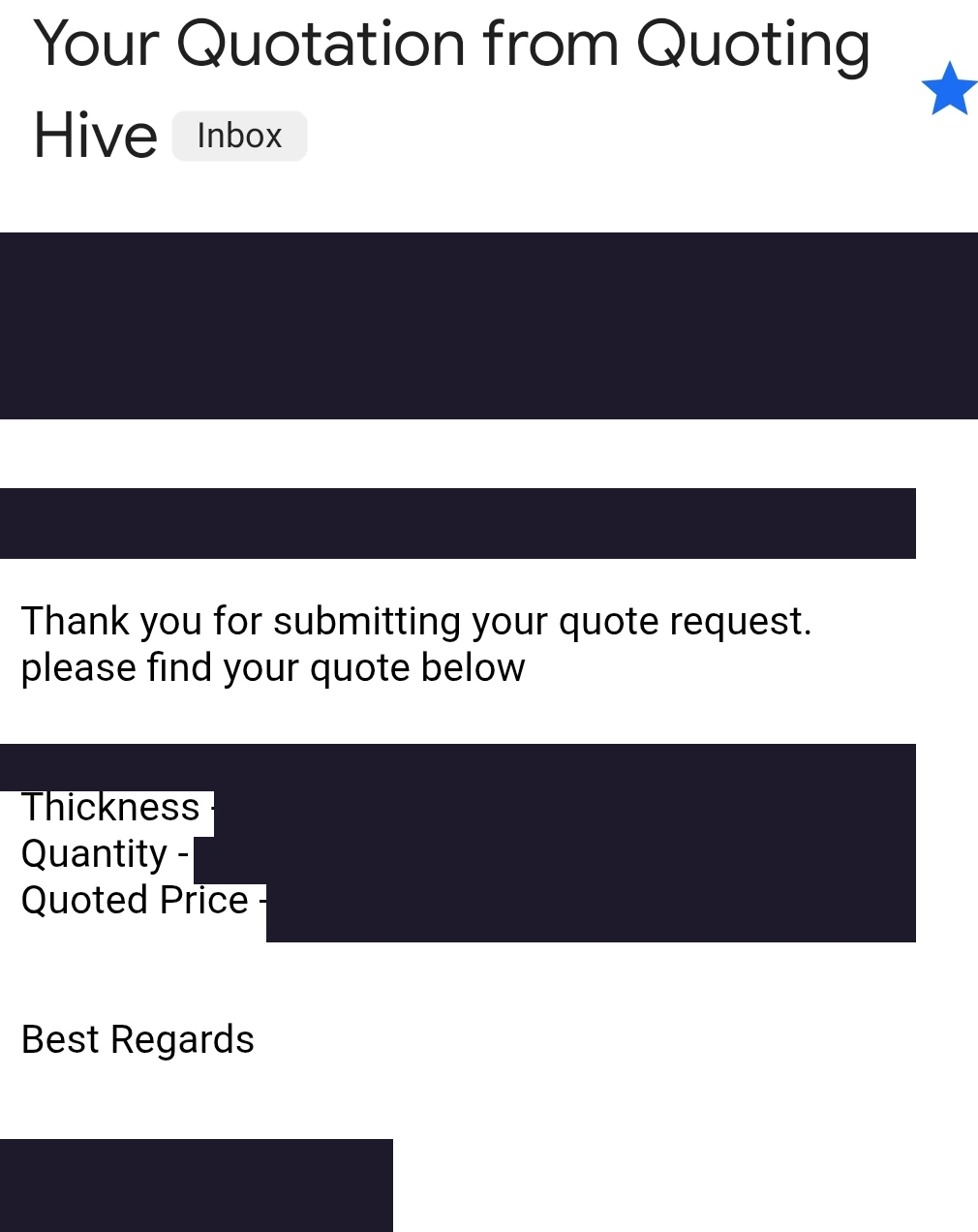
During testing, the outgoing email displayed the price as undefined.
Superb Digitals investigated the existing Pipedream setup and identified a problem with how the Google Sheets trigger supplied the required data.
Rather than relying on the original trigger output, we proposed using an additional spreadsheet structure that would collect the necessary values before passing them into a revised Pipedream workflow.
The implementation also encountered a Pipedream account limitation.
The client’s account reached its daily credit quota during testing.
After the client upgraded the account, they confirmed that the automated email worked.
The engagement included follow-up troubleshooting, a live explanation of the workflow and further discussions about adjusting the quotation price.
On May 14, the client confirmed that the system was working correctly and authorized delivery.
This case study documents the implementation process, technical challenges, observed results and lessons from troubleshooting spreadsheet-based quotation automation.
Client: Business Quotation and Customer Communication Project
Industry: Business Operations, Sales and Customer Communication
Project dates: May 12–14, 2025
Project type: Workflow Troubleshooting and Automation Integration
Source platform: Google Sheets
Automation platform: Pipedream
Email destination: Gmail
Additional platform discussed: Airtable
Main issue: Quoted price missing from automated email
Observed error: undefined
Solution direction: Revised spreadsheet data preparation and Pipedream workflow mapping
Additional requirement: Ability to adjust the quotation price
Technical support: Live consultation and workflow explanation
Order status: Completed
What needed to change.
Sending Complete Quotation Information Automatically
The client had a Google Sheets-based workflow.
They wanted information from the spreadsheet sent to an email recipient when a new row was added.
Pipedream was already being used to coordinate the automation.
However, not all the expected data was arriving correctly.
The specific issue was the quoted price.
The client explained that Google Sheets was not sending the price information through the existing workflow.
This meant that the quotation email was incomplete.
Why This Was Important
A quotation needs accurate pricing information.
Even when other details are correct, a missing price can make the message unusable for its intended purpose.
The business may then need to open the spreadsheet, locate the correct figure and manually send another message.
The original objective of automation is weakened when essential data is missing.
What the Client Wanted
The client described three related requirements.
First, new Google Sheets rows should trigger the workflow.
Second, relevant information should be included in emails sent through Gmail.
Third, some information should also be transferred to Airtable.
However, the completed-order evidence focuses on resolving the Google Sheets-to-Gmail quotation process.
The records do not independently establish that the Airtable component was delivered.
A connected solution.
Phase 1: Reviewing the Existing Pipedream Automation
On May 12, 2025, the client contacted Superb Digitals.
They explained that they had been configuring Pipedream but were experiencing difficulties.
They already knew the general workflow they wanted.
The problem was making the data move correctly between applications.
Understanding the Existing Setup
Rather than beginning with an entirely new application, the engagement focused on troubleshooting an existing automation.
The client had Google Sheets and Pipedream configured to some extent.
They wanted help finding why certain information was not being passed.
Why Existing Workflows Need Careful Review
An automation may contain several connected steps.
A trigger can execute successfully while a later step receives incomplete information.
Similarly, a spreadsheet can contain the expected value while the automation references the wrong field.
Diagnosing the problem requires examining the information available at each stage.
Establishing the Source of the Problem
The central question was:
Was the quoted price missing from the spreadsheet, or was Pipedream failing to retrieve and map the value correctly?
The distinction matters.
If the spreadsheet contains no usable price, the source data must be corrected.
If the price exists but does not appear in the automation’s input, the workflow may need a different retrieval method.
If the value reaches Pipedream but disappears before Gmail, the downstream mapping must be investigated.
The original development conversations point to a data-retrieval issue involving the Google Sheets trigger.
Implementation, step by step.
Phase 2: Conducting a Live Technical Consultation
The client wanted to explain the issue through a call.
A meeting was arranged on May 12.
This gave the developer an opportunity to understand the intended behaviour and review the existing setup with the client.
Why Screen Sharing Was Helpful
Troubleshooting a workflow through text messages alone can be difficult.
The developer may need to see which trigger is selected, what data is available and how the downstream actions are configured.
A live session can help identify the difference between the user’s intended workflow and the current configuration.
The Client’s Requirements
The client wanted the system to react when a new row appeared in Google Sheets.
They wanted the associated information sent through Gmail.
The price was especially important.
The Additional Airtable Requirement
The client also mentioned transferring information to Airtable.
This was part of the broader intention.
However, the available messages do not include a completed Airtable test or final confirmation of its implementation.
The main documented troubleshooting therefore concerned Pipedream, Google Sheets and Gmail.
Phase 3: Investigating the Google Sheets Trigger
After reviewing the setup, Superb Digitals identified a potential problem with the trigger’s data.
On May 13, the developer reported that the existing Pipedream trigger was not receiving all the updated information needed from Google Sheets.
This explained why the original workflow could fail even when the spreadsheet contained the desired information.
How a Spreadsheet Trigger Works
A spreadsheet trigger is intended to notify an automation when a particular event occurs.
For example, it may detect the addition of a new row.
However, the exact information supplied by that trigger depends on its configuration and the integration’s behaviour.
The Difference Between Detecting a Row and Reading the Required Data
A trigger can identify a record without necessarily providing every final value needed by the workflow.
For example, a spreadsheet might contain a calculated price or information drawn from other cells.
If the relevant value is not available in the trigger output, the next step may receive an empty or undefined field.
Why This Was Relevant
The client needed quotation information to arrive in Gmail.
The existing trigger was not reliably supplying all the necessary data.
Simply changing the email text would not resolve a missing source value.
The workflow needed to retrieve the right information before creating the email.
The Historical Diagnosis
The developer identified the trigger as failing to provide the updated spreadsheet data required by the workflow.
The exact Pipedream event payload and spreadsheet formulas are not preserved in the supplied conversation.
Therefore, the case study does not invent a more specific root cause, such as a particular formula calculation delay or connector bug.
Phase 4: Proposing an Additional Google Sheets Data Structure
To address the missing information, Superb Digitals proposed using another spreadsheet structure.
The idea was to gather the values needed for the Gmail message in one place.
That prepared data could then be passed into a revised Pipedream project.
Why This Approach Was Useful
A spreadsheet may contain information across different columns, formulas or supporting areas.
If an automation relies on incomplete trigger data, it may not have everything needed to construct the email.
A prepared data source can make the expected fields easier to retrieve.
The Proposed Workflow Change
Instead of depending entirely on the original trigger output, the revised approach would use a sheet containing the information required for the outgoing message.
That information would then be mapped into another Pipedream workflow.
The Intended Benefit
The automation would have a clearer data source for its email fields.
The quoted price would be available alongside the other required details.
Implementation Update
On May 13, the developer informed the client that the changes had been completed.
The client then began testing.
Important Evidence Boundary
The messages support the proposed additional sheet and the developer’s completion report.
However, the exact formulas, sheet names and Pipedream source code are not included in the archived conversation.
The case study therefore describes the implementation approach without inventing the final module-level configuration.
What We Delivered.
Verified Project Outcomes
Completed Commercial Engagement
Pipedream Workflow Investigation
The developer reviewed the existing automation and identified an issue with the data being supplied by the Google Sheets trigger.
Revised Data Preparation Approach
The developer proposed and reported implementing an additional spreadsheet structure and revised Pipedream workflow.
Quoted-Price Error Identified
The client explicitly reported seeing undefined instead of the expected price.
Data-Mapping Correction Reported
The developer acknowledged the error and reported correcting it.
Pipedream Usage Limitation Identified
The client’s account reached its daily credit quota during testing.
Client Upgraded Pipedream
The client confirmed upgrading their Pipedream account.
Successful Email Test
On May 13, the client confirmed that the workflow worked.
Final Client Acceptance
On May 14, the client checked the workflow again and confirmed that it was working properly.
Additional Technical Consultation
The engagement included a request for further explanation and a scheduled follow-up call.
Client Feedback
Outcomes Not Independently Verified
The available records do not establish:
- A complete Airtable integration
- A Google Apps Script-based production workflow
- A specific implemented price-rounding formula
- A formal written technical handover manual
- A guaranteed email delivery time for every new row
- A comprehensive workflow execution audit
- A confirmed duplicate-prevention mechanism
- Fully automated retry handling
- A quantified reduction in manual quotation work
- A measured increase in quotation response rates
- An improvement in conversion rates
- A revenue increase attributable to the automation
- Permanent freedom from Pipedream usage limits
- Long-term error-free operation
These results should not be added without additional implementation records or client-confirmed evidence.
Experience: Troubleshooting an Existing Business Automation
This project involved an existing workflow that was not behaving correctly.
The client already had Google Sheets, Gmail and Pipedream in use.
Superb Digitals needed to understand the current setup rather than simply build an unrelated replacement.
The engagement included reviewing source data, identifying missing information, revising the processing approach and handling a platform usage limitation.
It also involved direct client testing and follow-up consultation.
These are practical examples of troubleshooting work in real business automation environments.
Expertise: Spreadsheet Data Retrieval, Mapping and Workflow Reliability
The engagement required several technical skills.
Google Sheets Integration
Understanding how spreadsheet information becomes available to an external automation.
Pipedream Workflow Development
Configuring processing steps that transfer information between connected applications.
Data Mapping
Ensuring the correct source value reaches the intended email field.
Error Diagnosis
Investigating why a quoted price appeared as undefined.
Workflow Architecture
Recognizing when a revised data-preparation step may be more reliable than the existing trigger output.
Gmail Automation
Working with customer-facing email generation from structured data.
Account Capacity Troubleshooting
Identifying that an exhausted daily quota could prevent further execution.
Alternative Platform Assessment
Discussing Google Apps Script as another possible implementation route.
Client Communication
Explaining the problem and supporting the client’s understanding of the workflow.
These capabilities are relevant to quote generation, lead notifications, customer follow-ups and operational reporting.
Authoritativeness: Real Commercial Delivery and Verified Client Feedback
The original order establishes the business requirement.
The client messages document the missing-price problem and successful testing.
These provide evidence that the engagement involved genuine technical work and client satisfaction.
However, the review does not independently verify every possible future use case.
The strongest authority comes from the documented work and buyer confirmation.
Trustworthiness: Distinguishing Actual Results From Proposed Features
Several features were discussed during the project.
The client mentioned Airtable.
Google Apps Script was considered.
Price rounding was requested.
But the strongest evidence concerns the Google Sheets-to-Gmail workflow through Pipedream.
That workflow produced a successful client-confirmed test.
The client subsequently checked the automation and accepted the order.
The other discussed features should not be presented as confirmed completed deliverables.
This distinction is important for a technically credible portfolio.
Key Engineering Lessons
1. Successful Trigger Execution Does Not Guarantee Complete Data
A workflow may detect a new row while still missing values needed by the next step.
2. Debugging Should Follow the Data
When an email contains undefined, the correct approach is to inspect the data available at each stage.
3. Spreadsheet Preparation Can Simplify Downstream Mapping
A clearly organized source of required fields may make an automation easier to maintain.
4. Formula Outputs Need Appropriate Validation
If pricing information is calculated, the workflow should use the intended final value and handle missing or invalid results.
5. Data-Mapping Problems and Platform Quotas Are Different
A missing field requires different troubleshooting from an exhausted execution allowance.
6. Client Testing Is Essential
The buyer’s confirmation provided evidence that the email displayed the expected result.
7. Account Limits Affect Operational Reliability
A workflow needs sufficient resources and an appropriate plan for its expected workload.
8. Rounding Rules Must Be Explicit
The phrase "round the price up" can refer to different calculations. The implementation needs a precise rule.
9. New Features Should Not Be Assumed Delivered
Airtable and Google Apps Script were discussed, but their production implementation was not established.
10. Good Automation Includes Maintainability
The client should understand how the workflow operates and where approved changes can be made.
11. Testing Should Include Missing Data
An application should not send undefined as a customer-facing price.
12. Completion Requires Real Business Validation
The client’s May 14 confirmation was more meaningful than simply reporting that the configuration had been saved.
Recommended Architecture for a More Robust Quotation Workflow
The following architecture reflects the lessons from this engagement.
It is a recommended approach for future work, not a recovered copy of the 2025 Pipedream implementation.
Step 1: Create the Quote Record
A business user or approved system adds the relevant information to Google Sheets.
Step 2: Confirm That the Row Is Ready
The automation checks whether the record has the required information.
A dedicated status field can help distinguish incomplete entries from records ready for processing.
Step 3: Retrieve the Complete Source Data
The workflow reads the relevant spreadsheet row and any approved supporting information.
Step 4: Validate the Quoted Price
The system checks that the price exists and can be interpreted correctly.
Step 5: Apply Approved Price Formatting
Where required, the workflow uses the business’s specified rounding and currency rules.
Step 6: Prepare the Email Fields
The relevant quotation values are mapped to the appropriate parts of the outgoing message.
Step 7: Validate the Recipient
The system checks that the destination email address is present and appropriately formatted.
Step 8: Prevent Invalid Emails
The workflow stops or routes records for review when required pricing or recipient information is missing.
Step 9: Send Through Gmail
The approved quotation email is sent through the configured account.
Step 10: Record the Result
The system stores an appropriate sent status, timestamp or provider response.
Step 11: Avoid Duplicate Sending
A stable record identifier or processing status prevents the same quotation from being emailed unintentionally more than once.
Step 12: Handle Failures
Recoverable errors are logged and retried according to a defined policy.
Step 13: Monitor Usage Limits
The business reviews Pipedream consumption against its expected workload.
Step 14: Support Additional Integrations
If Airtable is required, the workflow can transfer the approved fields through a separate, validated action.
Step 15: Provide Client Documentation
The business receives instructions explaining how to update the sheet and safely manage the automation.
This architecture would make the quotation process easier to maintain and validate.
Example of a Quote Data Validation Process
A suitable quotation workflow should distinguish between valid and invalid data before sending an email.
| Input condition | Recommended action |
|---|---|
| Quoted price exists and is valid | Continue to email preparation |
| Price is missing | Stop and request correction |
Price is undefined | Investigate source or mapping |
| Price is nonnumeric when a number is required | Flag for review |
| Recipient email is missing | Do not send |
| Record has already been processed | Apply the approved duplicate-prevention rule |
| Pipedream execution fails | Record the error and follow the retry policy |
This is an illustrative validation design, not a claim about the exact logic delivered in May 2025.
Similar Business Applications
The same principles can support other operational workflows.
A service provider may need to send estimates when form submissions reach a spreadsheet.
A logistics company could generate price notifications based on delivery details.
A consultant may want automated proposal acknowledgements.
A sales team might need CRM records updated when new quotation requests arrive.
A business with pricing calculations in Google Sheets may want the results included in customer correspondence.
A property management business might use spreadsheet data to generate approved service estimates.
Each workflow requires accurate source data, suitable mapping and appropriate validation.
However, the underlying principle remains consistent.
Connect the business information to the correct communication process without losing essential details.
Project visuals.
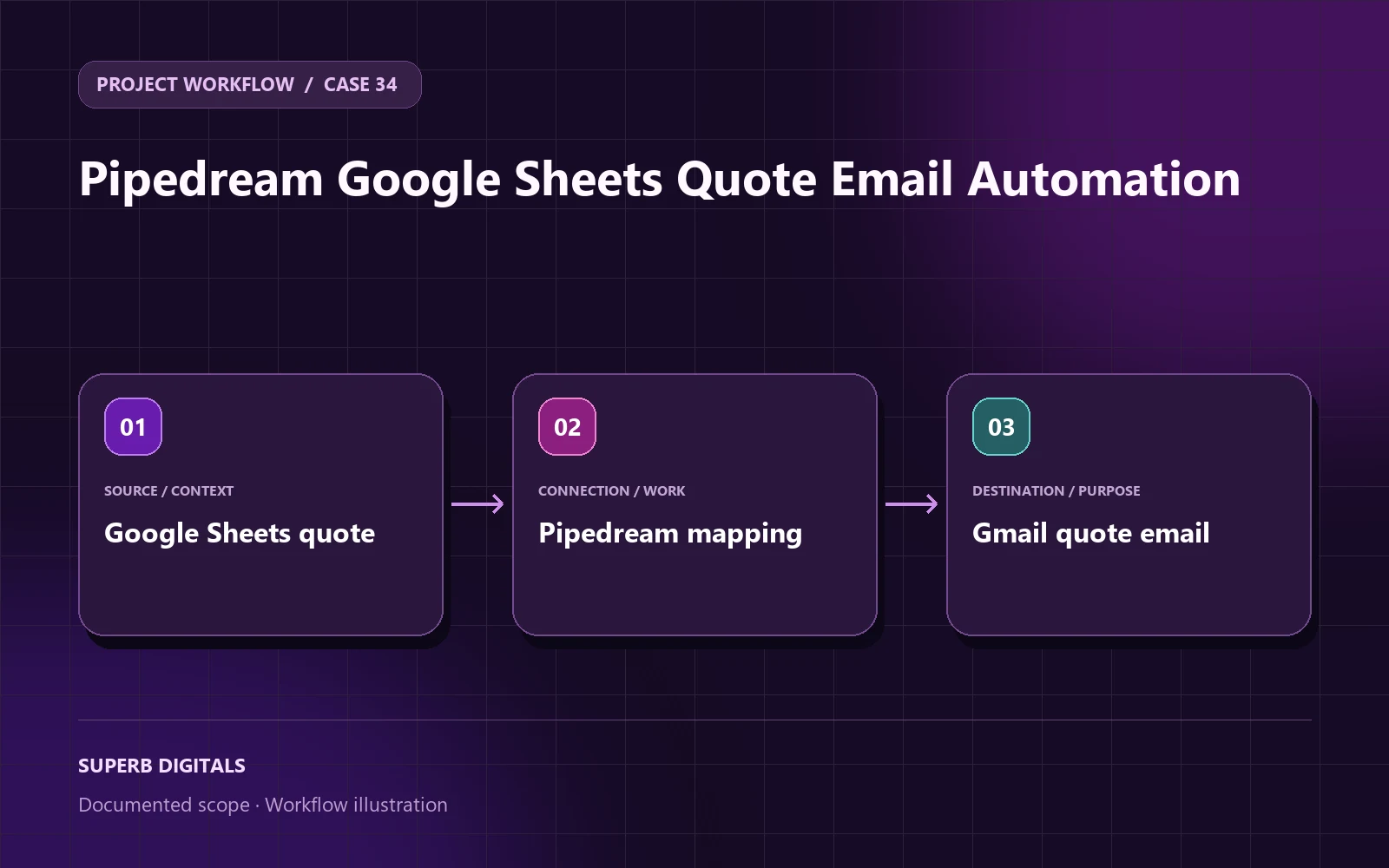 View image
Frequently Asked Questions.
Can Pipedream connect Google Sheets to Gmail?
Yes. Pipedream supports workflows involving Google Sheets events, data processing and supported Gmail actions or APIs.
Can Google Sheets automatically send quotation emails?
Yes. A configured automation can use spreadsheet data to prepare and send messages through an authorized email service.
Why is my quoted price showing as undefined?
Possible causes include missing source data, an incorrect field reference or an expected value that has not been retrieved successfully.
Does an undefined value always mean the spreadsheet is empty?
No. A spreadsheet can contain information while the automation references a missing field or receives an incomplete event.
How can I fix missing values in Pipedream?
Inspect the trigger output, verify the field names, confirm the source data and test the mapping used by downstream steps.
Can Pipedream retrieve multiple fields from Google Sheets?
Yes. A suitable workflow can retrieve relevant spreadsheet data and map the fields into subsequent actions.
Can I use a separate Google Sheet to prepare data for automation?
Yes. A prepared sheet can help organize the information needed by a downstream workflow.
What happens when a Pipedream account reaches its credit limit?
Workflow execution may be limited according to the account’s applicable allowance and current platform rules.
Will upgrading Pipedream fix incorrect data mapping?
Not necessarily. A plan upgrade addresses applicable usage limits, while a mapping problem requires correcting the workflow logic or source data.
Can I round quotation prices automatically?
Yes. A workflow can apply approved numerical formatting or rounding rules before sending the quotation.
What is the difference between rounding and rounding up?
Rounding generally selects a nearby permitted value, while rounding up moves toward the next higher permitted increment under the chosen rule.
Can Google Apps Script send emails from Google Sheets?
Yes. Apps Script can automate supported Google Workspace tasks, including sending emails through authorized services.
Was Google Apps Script used in this particular project?
It was discussed as an alternative, but the documented successful implementation remained Pipedream-based.
Can Pipedream send information from Google Sheets to Airtable?
Yes, supported API or application connections may allow that integration. However, the original project archive does not verify completed Airtable delivery.
Can an email be triggered when a new spreadsheet row is added?
Yes. The appropriate trigger depends on the chosen integration and how the source data is maintained.
How can duplicate quote emails be prevented?
A workflow can use record identifiers, sent statuses or another suitable mechanism to avoid processing the same quotation repeatedly.
Does Gmail guarantee every automated message reaches the inbox?
No. Delivery and inbox placement depend on multiple factors, including authentication, account limits, message content and recipient systems.
How can a business test a quote email automation?
Create a representative eligible record, inspect the workflow execution and compare the received email with the source data.
Can the same workflow support multiple quotation fields?
Yes. The integration can map several approved fields when they are available and correctly structured.
Can Pipedream send customer-facing emails securely?
It can be used within an appropriately configured integration. Credentials, recipient information and other sensitive data should be handled securely.
Can Superb Digitals troubleshoot an existing Pipedream workflow?
Yes. Superb Digitals provides Pipedream development, Google Sheets integration, email automation, API troubleshooting and custom workflow support.
Need Help Fixing an Automation That Is Not Working Correctly?
An automation can look complete while still sending incomplete information.
A spreadsheet value may be missing.
An API field may be mapped incorrectly.
A workflow may stop because of a usage limit.
Or an email may contain the wrong information.
At Superb Digitals, we help businesses diagnose and improve their existing integrations.
Our services include:
- Pipedream workflow development
- Google Sheets automation
- Gmail and email notifications
- Quotation workflow integration
- Spreadsheet data mapping
- API and webhook development
- Airtable integration
- Make.com and n8n automation
- JavaScript workflow troubleshooting
- Workflow usage optimization
- Data validation and error handling
- Automation consulting and technical support
Whether you want to repair an existing workflow or build a new one, we can help assess the technical requirements and develop a suitable integration.
Let’s discuss your business automation project.
Visit https://superbdigitals.com/ to explore our services.
Superb Digitals — Web Development, CRM & AI Automation Solutions.
Need quotation emails to pull the right information?
Tell us about your project and discuss the next steps with Superb Digitals.
Related client work.
 AI Automation
Hostfully & PriceLabs Integration
Two rental listings with different booking windows, connected pricing and practical stay-rule troubleshooting.
 AI Automation
24/7 Weather Monitoring & Smart Alert Automation
A six-phase weather automation project using Tempest, WeatherLink, IFTTT, Make.com and Apps Script for rain and storm alerts.
 AI Automation
Leonidas Labs — AI-Powered Quiz & Automated Report Generation
An AI-powered quiz funnel connecting Jotform, Make.com, OpenAI, Brevo, Stripe and Google Docs for personalized reports.