
SignalWire + Pipedream + Telegram — Call Notification Automation
The operator managed multiple service brands and wanted timely notifications of incoming calls, linked to the right business number, with selected metadata and spreadsheet tracking.
Project overview.
The operator managed multiple service brands and wanted timely notifications of incoming calls, linked to the right business number, with selected metadata and spreadsheet tracking.
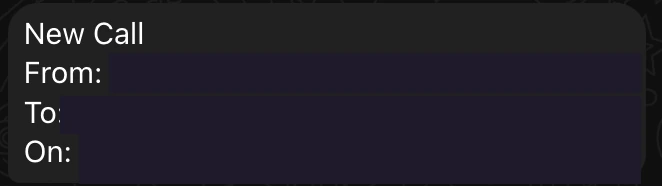
Incoming calls arrived across several SignalWire numbers associated with different businesses or services. A useful Telegram notification had to identify which line received the call as well as the available caller and event details; otherwise the recipient could not easily distinguish one brand's enquiries from another's.
What needed to change.
The client also wanted event information logged in Google Sheets, while a later request for call recording became a separate project. Recordings are not interchangeable with call-status notifications, and call recording was outside the demonstrated notification scope.
A telephony event can carry the caller, destination, call ID and event status. The destination is especially important when one automation covers several brands.
A connected solution.
We connected SignalWire call event information with a Pipedream handler that could inspect the destination number, apply conditional labeling and format a readable Telegram message. Google Sheets logging provided a second, structured record for review. That does not independently prove call recording transport, long-term uptime or every possible call-status event was tested. Technology stack: SignalWire · Pipedream · Telegram · Google Sheets.
Implementation, step by step.
Telephony events
SignalWire incoming-call events supplied the trigger context.
Multi-brand identification
The workflow needed to identify which destination number or service brand received each incoming call.
Pipedream processing
Pipedream handled webhook data and conditional transformation.
Telegram alert composition
The client wanted readable Telegram notifications with available caller and call metadata.
Google Sheets logging
A sheet captured selected event information for later review.
Call recording extension
Call recording was explored separately and is not part of the demonstrated call-notification workflow.
Technical decisions, edge cases and validation
Pipedream transformed raw webhook fields into a human-readable Telegram alert. The receiving message, not merely a 200 response from the webhook, was the useful acceptance point.
What We Delivered.
Documented SignalWire-to-Pipedream-to-Telegram integration and Google Sheets logging.
The delivered work focused on brand-aware call notifications, not call-recording functionality.
Technical lessons for comparable projects: Map each receiving number to the correct business label before composing alerts.
Treat telephony event statuses and actual call recordings as different data products.
Verify Telegram receipt and Google Sheets row consistency with authorized test events.
Protect caller information and distinguish notification functionality from separately considered recording features.
Project Highlights
- The delivered work focused on brand-aware call notifications, not call-recording functionality.
Frequently Asked Questions.
Why identify the receiving line?
It tells the team which business or number the call was directed to.
Can Pipedream format SignalWire webhooks?
Yes, using a supported webhook and transformation workflow.
Did this project deliver call recording?
No. Call recording was discussed separately and is not part of this case study’s demonstrated scope.
Need incoming calls routed to the right team?
Tell us about your project and discuss the next steps with Superb Digitals.
Related client work.
 AI Automation
Hostfully & PriceLabs Integration
Two rental listings with different booking windows, connected pricing and practical stay-rule troubleshooting.
 AI Automation
24/7 Weather Monitoring & Smart Alert Automation
A six-phase weather automation project using Tempest, WeatherLink, IFTTT, Make.com and Apps Script for rain and storm alerts.
 AI Automation
Leonidas Labs — AI-Powered Quiz & Automated Report Generation
An AI-powered quiz funnel connecting Jotform, Make.com, OpenAI, Brevo, Stripe and Google Docs for personalized reports.