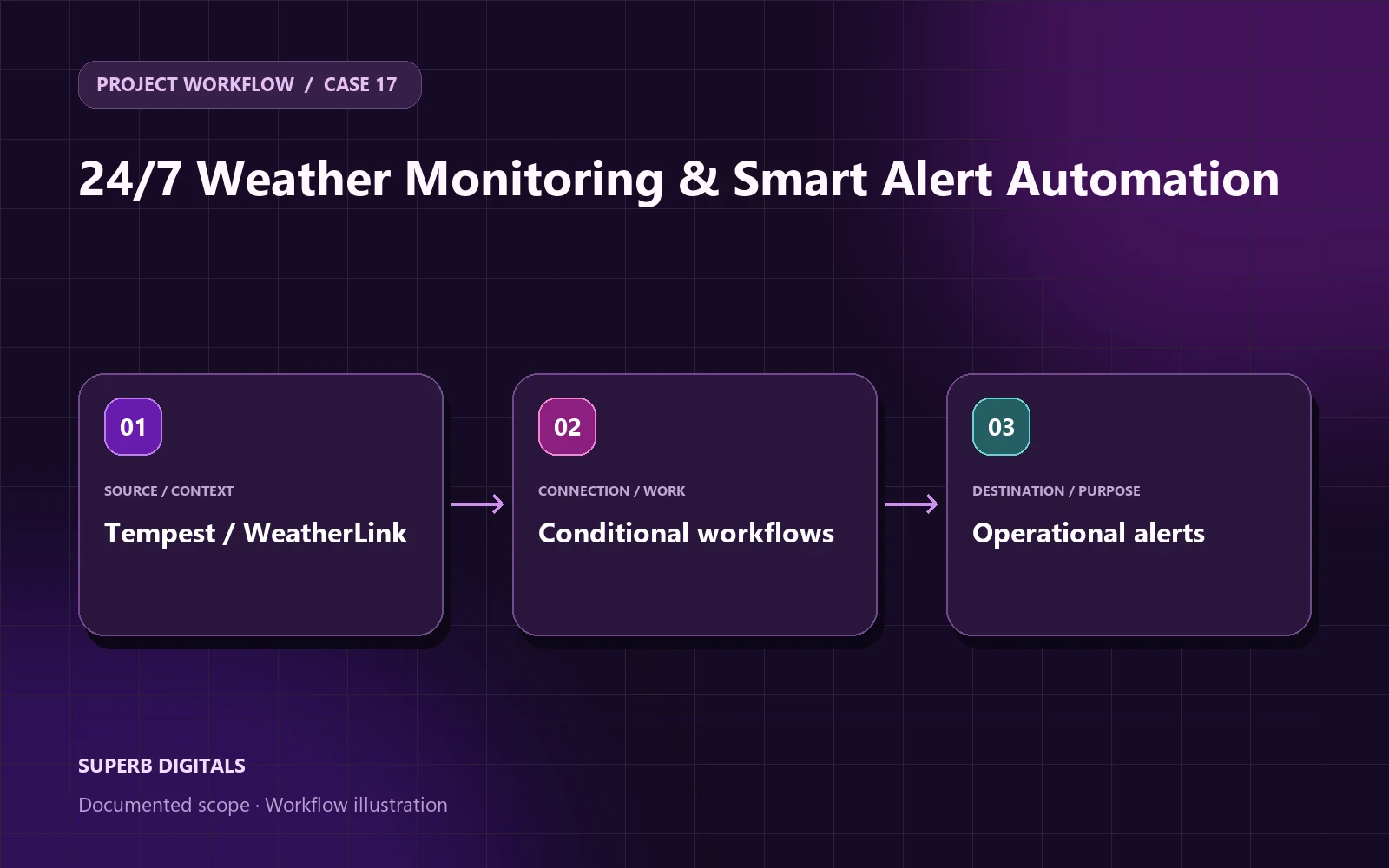
24/7 Weather Monitoring & Smart Alert Automation
A six-phase weather automation project using Tempest, WeatherLink, IFTTT, Make.com and Apps Script for rain and storm alerts.
Project overview.
Turning Weather Station Data Into Intelligent, Real-Time Automation
What happens when a standard weather app cannot deliver the information you need at the right moment?
For most people, checking the weather means opening an application and reading a forecast.
But some situations require something much more precise.
A robotic lawn mower needs attention when rain begins. A weather enthusiast may want a notification as soon as measurable precipitation is detected. A property owner may need recurring storm updates without receiving dozens of duplicate alerts.
These requirements go beyond a conventional weather forecast.
They demand a system capable of monitoring weather data, interpreting conditions, remembering previous events and triggering an action at the correct time.
This was the challenge behind a multi-phase automation project completed by Superb Digitals.
The client operated personal weather station equipment and wanted a more responsive, customizable rain-monitoring system.
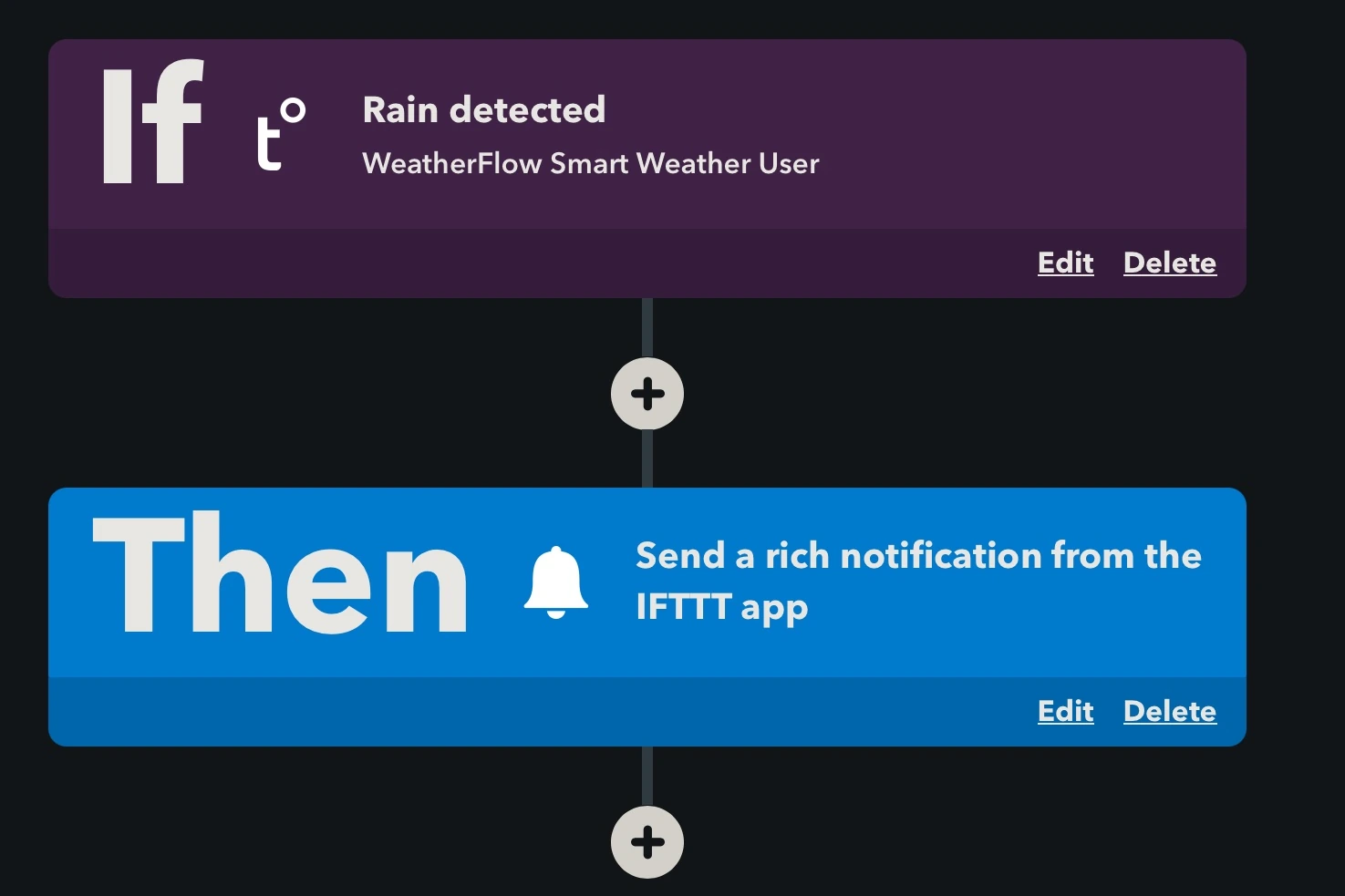
The initial request was straightforward: restrict an existing IFTTT weather notification to a specific three-hour window.
However, real-world testing revealed limitations in the standard event-driven integration.
As the client continued exploring the possibilities, the project developed into a custom automation system involving Tempest Weather, Davis WeatherLink, IFTTT, Make.com, Google Apps Script, Google Sheets, API authentication, scheduling and advanced notification logic.
The final stages added storm-event memory, weather analytics, rain-state classification and customized mobile notifications.
This case study demonstrates how Superb Digitals combined API development, automation engineering, troubleshooting and ongoing client collaboration to build progressively more sophisticated weather-monitoring functionality.
Client: Doren — Personal Weather Station Owner
Industry: Weather Technology, Smart Home and Internet of Things (IoT)
Project period: April 7 – June 23, 2026
Engagement type: Multi-phase custom automation and API development
Primary systems: Tempest Weather and Davis WeatherLink
Automation tools: IFTTT, Make.com and Google Apps Script
Additional components: Google Sheets, JavaScript, scheduled jobs, REST APIs and webhooks
Connected application: Husqvarna robotic lawn mower notification workflow
Mobile notification integrations: IFTTT, CARROT Weather and Vybit during development
Main services: API Integration, Custom Workflow Automation, Rain Detection, IoT Monitoring, Alert Scheduling, State Management and Storm Analytics
What needed to change.
An Alert That Worked at the Wrong Times and Missed Important Events
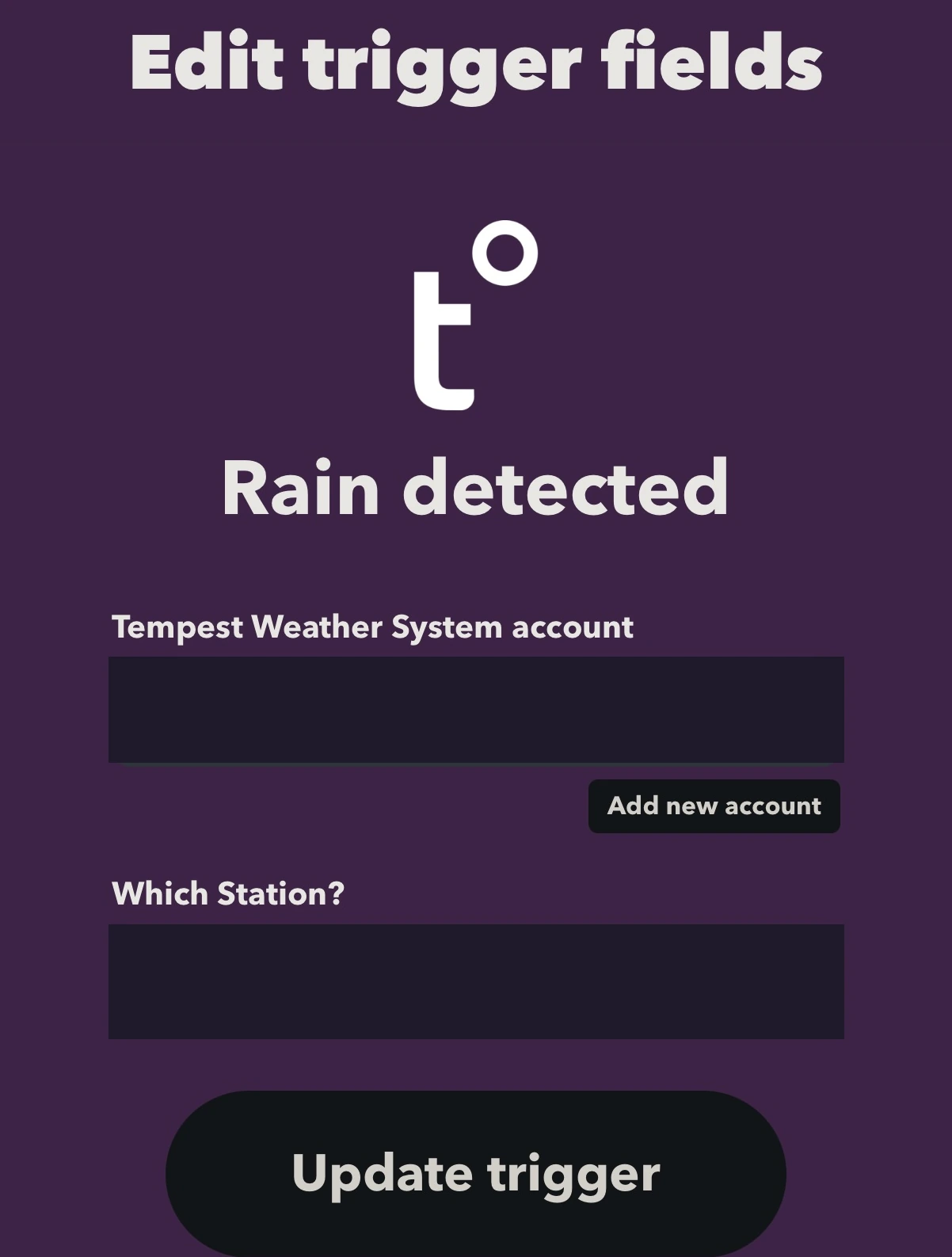
The client already had an IFTTT applet connected to a Tempest personal weather station.
The weather station could detect rain and communicate events to other applications.
The problem was controlling how those events triggered notifications.
The client wanted a notification during a particular part of the day, initially between noon and 3:00 PM.
This time window was relevant to the client’s Husqvarna robotic lawn mower.
Receiving an alert during the selected period would help the owner respond to rainfall and attend to the mower.
However, the client also wanted the alert to remain silent outside the designated hours.
This required more than simply turning notifications on or off manually.
It required a controlled, time-aware workflow.
The project began with JavaScript filter code inside IFTTT, but later testing exposed a more complex issue.
The native Tempest-to-IFTTT integration could fail to produce a new event during some subsequent periods of rainfall.
As a result, the custom time filter could be technically correct while a rain event still produced no notification.
The filter could only evaluate events that actually reached it.
That distinction became the turning point in the project.
Why a Standard Weather Applet Was Not Enough
The client’s requirements gradually revealed five technical challenges.
1. Event-Driven Notifications Could Miss Rain
A standard integration may rely on a platform to announce that a particular event has occurred.
If the source platform does not generate another event, the destination automation has nothing to process.
The client experienced this behaviour when rain started again but no corresponding IFTTT notification arrived.
2. Faster Monitoring Was Needed
The client wanted rain information as soon as practical.
Waiting for a scheduled check that occurred only every 15 minutes was less useful for a time-sensitive mower-related notification.
The system therefore needed a more responsive polling strategy.
3. Greater Sensitivity Could Produce False Positives
Highly sensitive weather sensors can detect extremely small changes.
But greater sensitivity is not always the same as greater accuracy.
The custom monitoring engine needed to distinguish meaningful precipitation from very small measurements or possible sensor noise.
4. Repeated Notifications Could Become Disruptive
If the weather remained rainy, a polling system could detect the same condition repeatedly.
Without additional logic, that could produce a notification every time the system checked the station.
The client wanted useful alerts, not a continuous stream of identical messages.
5. Weather Conditions Needed More Context
As the project expanded, the client wanted more than a basic rain/no-rain alert.
The system needed to distinguish between a new rain event and continuing rainfall.
Later requirements introduced rainfall accumulation, wind data, peak storm measurements and a final storm summary.
These additions required stateful logic rather than simple one-step automation.
A connected solution.
Build and Improve the System Through Real-World Testing
The work developed through six related engagements.
Each phase addressed the limitations or new requirements identified during the previous stage.
Instead of treating the project as one fixed automation, we worked collaboratively with the client as actual weather conditions provided opportunities to test the system.
Rain could not be scheduled for a convenient testing window.
This meant that development needed to combine controlled technical checks with observations from genuine weather events.
When the client reported an unexpected result, we investigated the behaviour and adjusted the workflow.
This ongoing development process ultimately involved several generations of the automation architecture.
Implementation, step by step.
Phase 1: Custom IFTTT Filter Code for Time-Based Rain Alerts
April 7, 2026
The objective was to prevent weather notifications from triggering outside the client’s selected daily window.
The initial schedule was noon to 3:00 PM.
The implementation used IFTTT’s filter-code capabilities to evaluate whether an event occurred within the permitted hours.
If the event arrived outside the selected window, the notification action would be skipped.
If an eligible event arrived within the window, the applet could continue to its notification action.
Why This Required Custom Logic
IFTTT provides a convenient way to connect supported applications.
However, not every required condition is available through an ordinary applet configuration.
Custom filter code allows additional logic to influence whether an action should proceed.
In this project, the logic needed to account for the client’s intended local time window rather than simply letting every rain event produce a notification.
The Importance of Live Testing
The code was installed, but confirming its complete behaviour required a genuine rain event.
The client attempted to stimulate the weather sensor manually, but the device did not report the attempted test as rainfall.
This created an unusual testing dependency: the final verification depended partly on when it actually rained.
The client and developer continued communicating while waiting for suitable conditions.
Early testing indicated that notifications were being suppressed outside the intended window.
However, the later failure to receive a rain-started event revealed that the larger integration needed a different approach.
The lesson was clear: correct filter logic cannot compensate for an upstream trigger that never arrives.
Phase 2: Moving Beyond Native IFTTT Events With Make.com
April 28, 2026
The second engagement addressed the limitations observed in the original event-driven system.
Instead of depending entirely on Tempest’s native IFTTT trigger, the new architecture was designed to request current weather information from the station’s API.
Make.com was introduced to coordinate the process.
The New Workflow
The intended sequence was:
- Run the monitoring process during the selected time window.
- Request current information from the Tempest weather service.
- Evaluate whether the readings indicated rain.
- Check whether an alert had already been issued.
- Send an IFTTT webhook when the required conditions were met.
This changed the approach from passively waiting for an event to actively checking weather conditions.
Introducing State Management
One important feature was the use of stored state.
A rain alert is not necessarily useful every time the automation detects precipitation.
The system needs to know whether the same weather condition has already been reported.
The Make.com implementation therefore included logic intended to prevent repeated notifications during the relevant period.
This represented a significant step beyond a basic trigger-and-action automation.
Configurable Time Windows
The client also wanted the ability to adjust monitoring hours without rewriting the automation.
The workflow included scheduling controls so the designated time window could be changed through the automation configuration.
The Remaining Limitation
The Make.com design worked within the polling frequency available for the chosen setup.
The monitoring interval was approximately 15 minutes.
However, the client preferred faster detection.
This led to the next technical improvement.
Phase 3: Building a Faster Monitoring Engine With Google Apps Script
Late April – Early May 2026
The project evolved again when we introduced a custom Google-based monitoring approach.
Instead of relying on Make.com for every weather check, the automation used Google Apps Script, a Google Sheet and scheduled execution.
The aim was to achieve a more frequent monitoring cycle while keeping the client’s system practical to operate.
The New Architecture
The monitoring system used a scheduled trigger to initiate the custom script.
The script retrieved weather information from the Tempest service, evaluated the readings and maintained the necessary alert state.
When the conditions were satisfied, it could trigger the appropriate IFTTT notification.
Google Sheets provided a familiar environment associated with the custom script.
This approach gave the client a more flexible way to manage the monitoring logic.
One-Minute Polling
The configured engine checked the weather approximately every 60 seconds.
That represented a significant improvement in polling frequency compared with the earlier 15-minute Make.com configuration.
It was particularly relevant to the client’s time-sensitive rain alerts.
However, one-minute polling should be understood as a configured interval, not a guarantee of exactly 60-second execution under every network or hosting condition.
Reducing Unnecessary Platform Dependence
The Google Apps Script approach also reduced the need for Make.com in the primary rain-monitoring loop.
This was a practical architectural improvement because the client wanted responsive monitoring without relying on additional paid automation capacity for the core checks.
Actual operating costs and quotas still depend on the services and account configurations in use.
A Real-World Notification Problem
During testing, the client received repeated notifications within a short period.
The weather station had registered a very small precipitation-related measurement, while the alert-state logic did not correctly preserve the notification lock.
The resulting behaviour was disruptive.
The client reported multiple repeated notifications and temporarily disabled them.
We investigated the problem and worked on correcting the state-management logic.
The issue also highlighted the importance of balancing detection sensitivity with false-positive prevention.
An automation that reacts quickly must still be selective enough to remain useful.
Verified Test Result
Following the adjustments, the client tested the system during another period of rainfall.
The client confirmed that the custom alert arrived four minutes before the official Tempest notification.
They also reported that the system did not produce duplicate notifications during that test.
This was an important milestone.
The result demonstrated that the custom monitoring approach could respond faster than the official app in at least one observed real-world event.
It also demonstrated successful suppression of repeated alerts during that test.
The client subsequently commissioned additional development.
Phase 4: Creating a Separate 24/7 Rain Monitoring Engine
May 2, 2026
The client liked the responsive monitoring system enough to request a second, independent version.
The original automation was intended for a specific daily window related to the robotic lawn mower.
The new system needed to operate throughout the day and night.
Separating Two Different Purposes
The project now required two monitoring functions.
Time-Restricted Mower Alerts
These provided rainfall notifications during designated hours when the client wanted to monitor weather conditions relevant to the robotic mower.
Continuous Weather Notifications
These provided general rain monitoring without the original three-hour restriction.
Separating the functions made the behaviour easier to control.
The client could change a time-restricted mower alert without necessarily changing the general weather-monitoring logic.
Continuous Scheduled Monitoring
The new Google Apps Script engine was configured for round-the-clock scheduled polling at approximately 60-second intervals.
The objective was to detect relevant rainfall whether it began during the day, in the evening or overnight.
Smart 60-Minute Cooldown
The client wanted to receive a notification when rainfall began but did not want the phone to produce an alert every minute throughout a storm.
The agreed implementation included a 60-minute cooldown.
After an eligible notification, the system would suppress further alerts for the defined period.
If the relevant rainfall condition continued after the cooldown, another update could be issued.
If conditions returned to dry, the stored state could be reset according to the workflow rules.
This was an example of stateful automation: the system’s response depended not only on current data but also on what had already happened.
Preserving Sensitive Detection
The continuous-monitoring design retained the high-frequency polling approach and a rolling precipitation assessment.
The original specification referred to a 10-minute rolling average and a configured threshold above 0.01.
These values were project-specific settings.
They should not be interpreted as universal thresholds for all Tempest stations or weather-monitoring installations.
Phase 5: Dynamic Rain Notifications and Smart Event Classification
May 6–10, 2026
The next phase focused on making notifications more informative.
The system already detected rainfall and considered whether an alert should be sent.
The client now wanted each notification to communicate more detail about the weather conditions.
Live Rainfall Accumulation
The updated workflow was designed to retrieve daily precipitation accumulation from the Tempest service.
Instead of sending only a generic notification, the system could incorporate current weather data into the alert message.
New Rain Versus Continuing Rain
One of the central improvements was the ability to distinguish between different rainfall states.
A notification indicating that rain has just started is useful at the beginning of an event.
However, that wording becomes misleading when a storm has been continuing for some time.
The updated logic introduced conditional routing to select an appropriate message based on the current state and cooldown history.
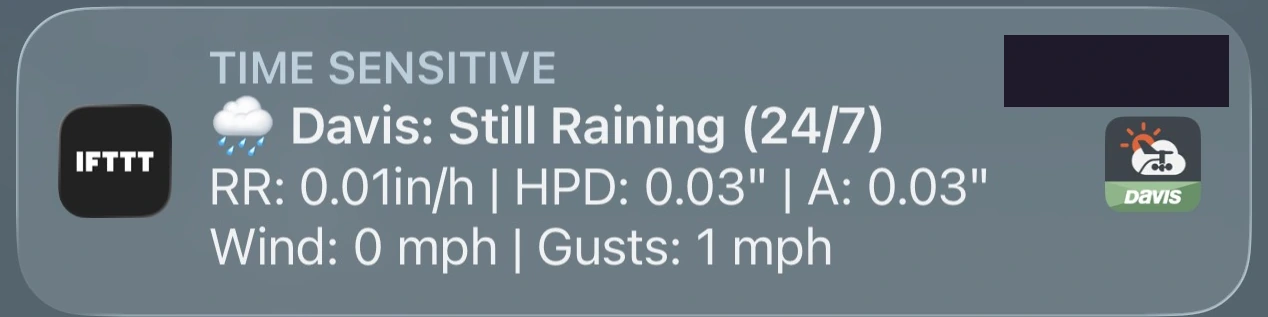
Examples of the intended notification categories included:
Rain Started
A notification associated with the beginning of a detected rain event.
Still Raining
An update indicating that rain continued after the relevant interval.
This improved the meaning of the alerts rather than simply increasing the amount of information displayed.
Dynamic Webhook Payloads
The implementation used IFTTT webhook payloads to pass information generated by the custom script.
This allowed the notification text to be selected dynamically.
Instead of manually creating separate automations for every possible message, the script could determine what information to send.
Mobile Notification Formatting
The client also cared about how notifications appeared on an iPhone.
Long text can wrap awkwardly or become difficult to understand on a lock screen.
The project therefore included custom formatting to make the information easier to read.
This demonstrated that user experience considerations also matter in automation development.
An accurate notification is less useful when its wording is confusing or its presentation makes the important details difficult to see.
Phase 6: Integrating Davis WeatherLink v2 for Advanced Weather Data
May 9–25, 2026
The client then introduced Davis Instruments weather station data through WeatherLink.
The objective was to access additional meteorological measurements and support more detailed storm information.
This required working with another API and a different data structure.
WeatherLink API Integration
The original project specification included WeatherLink v2 authentication and custom API requests.
The implementation work involved handling credentials, authentication requirements and the weather observations returned by the service.
The archived project specifically describes an HMAC-SHA256 authentication approach.
As WeatherLink’s API documentation has evolved, the authentication details for any modern reimplementation should be checked against the currently supported API.
Mapping Weather Data
The client wanted several weather measurements available to the automation.
These included:
Rain Rate
The current measured intensity of precipitation.
Hourly Precipitation
Rainfall accumulated during the relevant hourly reporting period.
Daily Accumulation
The total precipitation recorded over the appropriate daily measurement period.
Wind Speed
The wind-speed reading associated with the weather station.
Wind Gusts
Shorter periods of higher wind speed.
These measurements added context that a simple rain-started notification could not provide.
Different Stations for Different Requirements
During development, the architecture evolved toward separating fast reaction from detailed analysis.
Tempest remained useful for responsive rain detection and mower-related alerts.
Davis WeatherLink was used for richer observation data and storm-analysis functionality.
This distinction became important because the two systems offered different capabilities and integration requirements.
The project was no longer simply about replacing one weather platform with another.
It was about using the available sources for their most relevant roles.
Custom Notification Presentation
The client also requested customized mobile notification text, branded icons and application-opening behaviour.
The system needed to distinguish Tempest-related alerts from Davis-related information.
That required additional work on notification labels, icons and destination links.
The objective was to make it easier for the client to recognize the source and purpose of each alert.
Phase 7: Building the Storm Tracking and “DVR Memory Bank”
May 25 – June 23, 2026
The final major engagement introduced an advanced feature: a custom storm-memory system.
The client wanted to know what happened throughout a storm, not just receive periodic alerts while rain was falling.
This required the automation to preserve weather measurements over time and use them to generate a summary.
Why a Simple API Request Was Not Enough
A current weather observation describes conditions at a particular moment.
A complete storm summary requires information from the entire event.
For example, the highest wind gust may occur early in a storm, while the heaviest rainfall may occur later.
If the system only checks conditions after the storm ends, it may no longer have access to all the measurements needed to describe what happened.
The project therefore required a form of persistent event memory.
Recording Measurements During a Storm
The agreed “DVR Memory Bank” concept was designed to track and update important measurements while rainfall remained active.
The intended information included:
- Maximum rain rate
- Highest observed temperature
- Lowest observed temperature
- Peak wind gust
- Rainfall information associated with the storm
- Event timing and state
The system needed to compare incoming readings with previously stored measurements.
If a new reading exceeded a recorded maximum, the stored value could be updated.
If a temperature reading established a new low, the system could preserve it.
This created a running representation of the storm rather than a collection of unrelated notifications.
Defining When a Storm Ends
The client wanted a clear rule for determining when a storm was officially over.
The final project discussions used a three-hour dry period.
Under this approach, the system would not treat every brief interruption in rainfall as the end of a separate storm.
Instead, it would wait until the defined dry interval had passed before producing the final summary.
This allowed intermittent rainfall to be treated more consistently within the client’s chosen event model.
The three-hour period was a project-specific configuration, not a universal meteorological definition.
Compiling a Final Summary
Once the storm was considered finished, the automation was intended to compile the stored measurements into a consolidated notification.
This represented a transition from basic weather alerts to event-based analytics.
The system could preserve information across a period of time, recognize a state transition and produce an output based on the recorded event.
Technical Troubleshooting: The Problems That Shaped the Final System
This project provides unusually strong evidence of technical experience because the records document not just the intended features but also real problems encountered during testing.
Problem 1: An Upstream Integration Did Not Send a New Event
Cause: The native event-driven integration did not always produce a separate rain-started trigger during subsequent rainfall.
Response: Move toward scheduled API polling, so the automation could check current readings rather than depend entirely on a new event.
Lesson: A downstream filter cannot compensate for missing upstream events.
Problem 2: High Sensitivity Produced Repeated Notifications
Cause: A small weather reading combined with an alert-state issue led to repeated notifications.
Response: Investigate the threshold and state-locking logic and make adjustments to prevent notification loops.
Lesson: Fast detection and reliable alert suppression must be designed together.
Problem 3: Separate Processes Competed for API Access
During development of the Davis-based monitoring and storm-summary system, the client encountered a problem with separate scripts attempting requests at overlapping times.
The original implementation reported request conflicts under the account’s applicable API access conditions.
The solution described in the development conversation was to consolidate the related operations into a shared processing engine.
Instead of making independent requests for every function, the system could retrieve an observation and use it for several related calculations.
Lesson: Shared data retrieval can reduce duplicate calls and simplify synchronization between related workflows.
Problem 4: The Wrong Weather Station Profile Was Selected
The client had more than one station or gateway profile associated with the WeatherLink environment.
During troubleshooting, the automation was found to be accessing an unsuitable profile for some required observations.
The script was adjusted to target the intended station configuration.
Lesson: API integration is not complete when authentication succeeds. It must also retrieve the correct data from the correct resource.
Problem 5: Wind Measurements Appeared as Zero
The client noticed that some wind readings did not match actual conditions.
The investigation found that different sensor information could be associated with separate transmitter channels.
The processing logic initially focused on a channel that did not contain all the required wind measurements.
The code was adjusted to inspect the relevant channels rather than assuming that all observations would appear in one location.
Lesson: Data structures must be understood before measurements are mapped into user-facing reports.
Problem 6: Unexpected API Responses Interrupted Processing
A later diagnostic identified an error caused by trying to read precipitation data from an undefined observation.
This illustrated the need for defensive API handling.
A resilient monitoring workflow should check whether the expected data exists before attempting to use it.
Lesson: Missing values, temporary connection problems and unexpected response structures must be considered in long-running integrations.
Problem 7: Notification Branding and App Routing Needed Refinement
The client also reported issues with notification wording, icons and which weather application opened after tapping an alert.
The final refinement work addressed differences between Tempest and Davis notifications.
Lesson: Automation quality includes the final user experience, not just successful API execution.
What We Delivered.
Verified Results and Client Feedback
The strongest outcome of this project is the documented development of an increasingly sophisticated weather-monitoring system across six completed engagements.
Six Development Phases
The client commissioned six related projects between April and June 2026.
The work progressed from IFTTT filter code to API polling, 24/7 scheduled monitoring, dynamic notification logic, WeatherLink integration and advanced storm memory.
Continued Client Engagement
This provides direct evidence that the same client repeatedly chose to continue working with Superb Digitals.
Faster Notification in an Observed Test
During a real-world test, the client reported receiving the custom rain notification four minutes before the official Tempest notification.
The client also confirmed that duplicate notifications did not occur during that test.
This was a successful observed result, not a guaranteed performance benchmark.
Successful Robotic Mower Alert Experience
During the later project stages, the client confirmed that the Husqvarna-related alert workflow was working as intended.
The documented functionality related to weather notifications supporting the client’s mower decisions.
The records do not establish that the automation directly controlled or automatically docked the mower.
Working Storm Notifications and Continued Refinement
The later conversations documented successful weather notifications, improvements to the storm-summary feature and further adjustments to icons, wording and application links.
The final order was delivered and completed in June 2026.
Continued Client Confidence
The client’s feedback repeatedly praised the technical expertise, responsiveness and willingness to resolve problems throughout the engagement.
This is particularly meaningful because the client continued commissioning additional work even as the project became more technically complex.
Client Feedback
In the final review, the buyer highlighted coding ability, user-interface expertise, reliability and the overall quality of collaboration.
The client described the work as exceeding expectations and praised the combination of technical skills and professional communication.
The feedback is particularly relevant because this was not a single isolated task.
The client experienced several different stages of planning, implementation, testing, debugging and refinement.
Experience, Expertise, Authoritativeness and Trustworthiness
Experience: Working With Real Hardware and Live Weather Conditions
This project required more than configuring a demonstration workflow.
The automation interacted with weather observations from personal weather stations.
The client tested it during real rain events and reported unexpected behaviour when conditions changed.
The work involved responding to those observations and refining the system.
That is direct practical experience with an event-driven IoT use case.
Expertise: Connecting APIs, Scheduling and Stateful Logic
The project involved several technical disciplines.
These included JavaScript filter code, scheduled API polling, webhook payloads, authentication, data mapping, persistent state, cooldown logic and event summaries.
It also involved practical decisions about when to use a native automation platform and when custom scripting provided greater flexibility.
Authoritativeness: Documented Multi-Phase Client Engagement
The strongest authority evidence is the combination of six separate completed orders, repeat client engagement and consistent positive feedback.
The project demonstrates experience taking ownership of a technical problem over multiple development stages.
Rather than presenting an abstract automation concept, the case study documents how the implementation evolved through actual requirements and testing.
Trustworthiness: Transparent Scope and Realistic Claims
A credible technical portfolio should explain both successful results and the problems encountered.
This project included false alerts, duplicate notifications, API access problems, data-mapping issues and several rounds of refinement.
Those challenges are part of the documented engineering experience.
We do not claim that the system operated without interruption for a full year, generated measurable business revenue or achieved perfect detection accuracy.
The evidence supports successful project delivery, documented test results and strong client satisfaction.
What This Project Demonstrates About Superb Digitals
Custom API Integration
Experience connecting different services through APIs, authentication and webhooks.
Google Apps Script Development
Experience building JavaScript-based automation workflows that process external data and maintain application state.
IFTTT and Make.com Automation
Experience configuring both native and custom automation logic and recognizing when their limitations require a different architecture.
IoT and Smart Home Integration
Experience developing software around personal weather-station data and practical home-automation needs.
Real-Time Data Processing
Experience working with frequent scheduled observations, changing sensor values and time-sensitive notifications.
Stateful Workflow Architecture
Experience designing logic that remembers previous events instead of treating every new API response independently.
Error Handling and Debugging
Experience investigating failed triggers, duplicated notifications, incorrect sensor mappings and unexpected API responses.
User-Centered Automation
Experience refining alert content, notification timing, mobile presentation and application links based on client feedback.
Long-Term Client Collaboration
Experience delivering multiple related improvements to the same system while responding to new requirements and test results.
Applications Beyond Personal Weather Stations
The engineering principles demonstrated in this project apply to many other business and technical situations.
A similar event-driven architecture could be adapted for equipment monitoring, environmental sensors, property-management alerts, industrial telemetry, water-level monitoring, operational status reporting or smart-building systems.
The specific hardware, API access, safety requirements and implementation details would differ.
However, the underlying approach remains relevant:
Collect reliable data, evaluate conditions, preserve important state and notify the appropriate person when action is needed.
This is the kind of problem custom automation is designed to solve.
Project visuals.
 View image

Frequently Asked Questions.
Can IFTTT monitor a Tempest weather station?
IFTTT can be used with supported weather integrations and webhooks. More advanced behaviour may require custom filter code, scheduled API polling or an additional automation system.
Why might an IFTTT weather alert miss a rain event?
A workflow that depends on a source trigger can only react when that trigger is generated. Cooldowns, event definitions, connection issues and platform configuration may affect notification behaviour.
Can Google Apps Script monitor weather station data?
Yes. Google Apps Script can make supported API requests, process data and run through scheduled triggers. Appropriate quotas, error handling and execution limits must be considered.
Is Google Apps Script suitable for 24/7 monitoring?
It can support recurring monitoring throughout the day using scheduled execution. However, it does not provide a hard real-time guarantee or eliminate the possibility of execution delays and service interruptions.
Can a Tempest rain alert work with a Husqvarna robotic mower?
Weather alerts can support decisions about mower operation. Direct automated mower control requires a separate supported integration and should not be assumed from notification functionality alone.
What is the difference between Tempest and Davis WeatherLink?
They are different weather technology ecosystems with their own supported devices, data formats and integration capabilities. The appropriate system depends on the required observations, equipment and API access.
Can a weather monitoring system prevent duplicate alerts?
Yes. Custom logic can store alert state, apply cooldowns and suppress repeated notifications. The behaviour must be tested against real conditions and unexpected data.
How can a weather automation tell when a storm has ended?
A custom system can use a defined period without detected precipitation to determine when to close an event. The threshold should reflect the user’s requirements and should not be treated as a universal weather standard.
What is an automated storm summary?
An automated storm summary is a report generated from measurements collected throughout a defined weather event, potentially including rainfall totals, peak rain rate, temperature extremes and wind gusts.
Can WeatherLink API data be included in custom notifications?
Yes, where access is authorized and supported API data is available. Custom software can retrieve observations, process them and format suitable information for notification services.
Does faster polling guarantee earlier rain alerts?
No. Alert timing also depends on sensor behaviour, source-data availability, thresholds, network latency, scheduling and notification delivery.
Can the same automation approach monitor other devices?
Yes. The underlying approach can be adapted to other devices and services that provide suitable APIs, events or supported integrations.
Need a Custom API Integration or Intelligent Monitoring System?
Not every business or technical requirement can be solved with an ordinary plug-and-play automation.
Sometimes the challenge is connecting software that was not designed to work together.
Sometimes it involves collecting data, recognizing patterns or responding to events.
Other times, the problem is making an existing automation more reliable and easier to use.
At Superb Digitals, we build custom automation solutions around practical requirements.
Our services include API integration, n8n workflows, Make.com automation, IFTTT customization, Google Apps Script development, CRM automation, webhooks, monitoring systems and AI-powered business processes.
Whether you need a simple integration or a more advanced system with custom logic and data processing, we can help assess the requirements and design an appropriate solution.
Let’s discuss your automation project.
Visit https://superbdigitals.com/ to explore our services and contact the team.
Superb Digitals — Web Development, CRM, API Integration & AI Automation Solutions.
Need smarter weather monitoring and timely alerts?
Tell us about your project and discuss the next steps with Superb Digitals.
Related client work.
 AI Automation
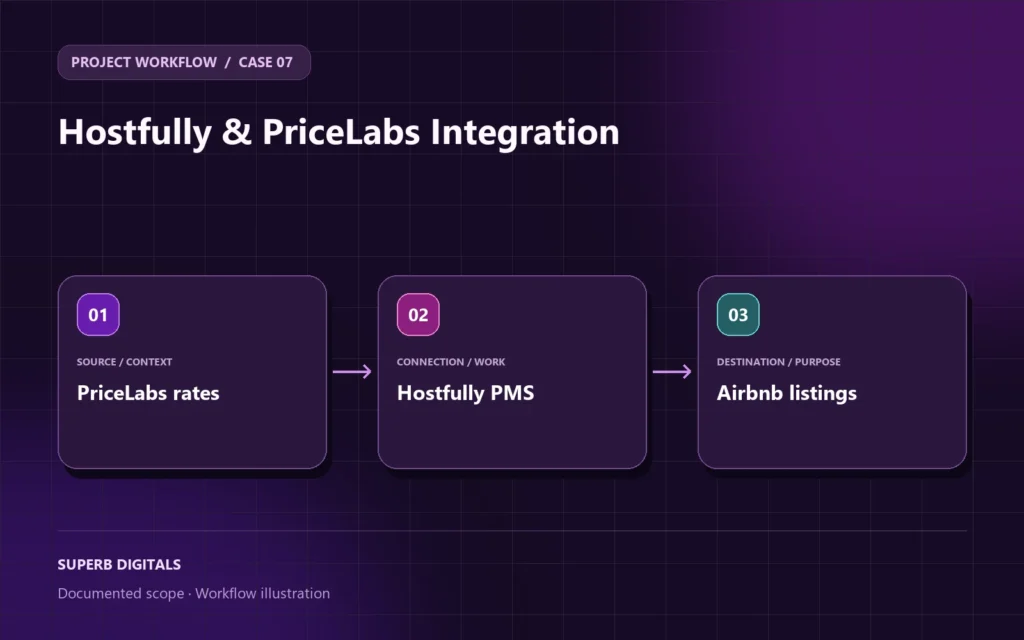
Hostfully & PriceLabs Integration
Two rental listings with different booking windows, connected pricing and practical stay-rule troubleshooting.
 AI Automation
Leonidas Labs — AI-Powered Quiz & Automated Report Generation
An AI-powered quiz funnel connecting Jotform, Make.com, OpenAI, Brevo, Stripe and Google Docs for personalized reports.
 AI Automation
Medical Courier Marketing Funnels & Appointment Automation
An integrated marketing funnel for a medical courier service connecting ClickFunnels, ActiveCampaign, OnceHub and Make.com.